
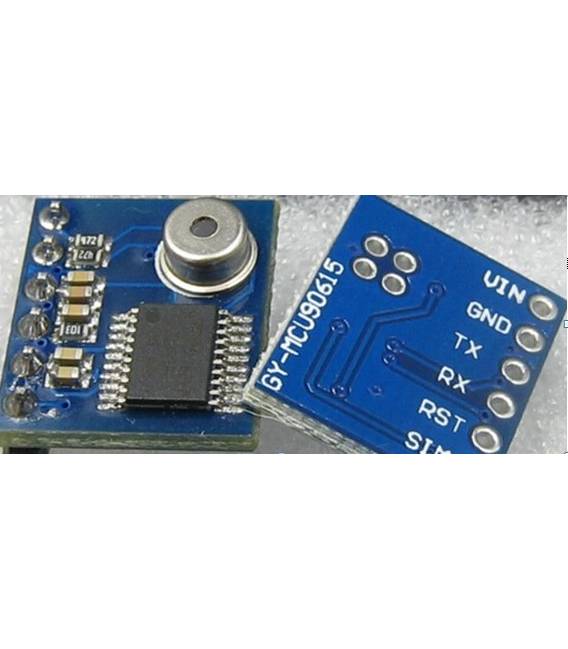
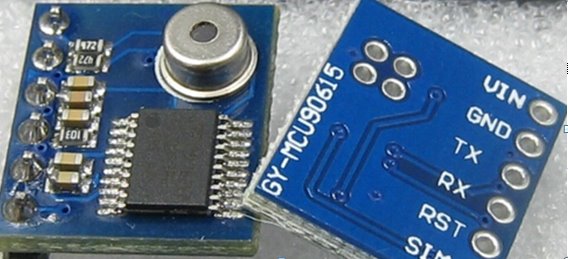
GY-MLX90615 MLX90615 Digitale Infrarossi Temperatura Sensore
Il prezzo originale era: 15,34 €.11,11 €Il prezzo attuale è: 11,11 €. Escluso IVA
GY-MLX90615 MLX90615 Digitale Infrarossi Temperatura Sensore
Disponibile su ordinazione
Descrizione
GY-MLX90615 MLX90615 Digital Infrared Temperature Sensor
Serial port to send the command byte:
(1), serial communications parameters (baud default value 115200 bps, can be set by software)
Baud Rate: 9600 bps parity bit: N Data bits: 8 Stop bits: 1
Baud rate: 115200 bps parity bit: N Data bits: 8 Stop bits: 1
(2), the module input commands sent by an external controller to the GY-MCU90615 module (hex)
1, header: 0xa5
Instruction format: header + command + checksum (8bit) (such as automatic read temperature command = 0xA5 + 0x45 + 0xEA)
2, the command instruction:
Continuous output instruction:
0xA5 + 0x45 + 0xEA —————- temperature data (module returns data type 0x45)
Query output instructions:
0xA5 + 0x15 + 0xBA ————— temperature data (module returns data type 0x45)
🙁 Configuration directives take effect after power-down restart)
Baud rate configurations:
0xA5 + 0xAE + 0x53 ————— 9600
0xA5 + 0xAF + 0x54 ————— 115200 (default)
Is powered automatically send temperature data configuration:
0xA5 + 0x51 + 0xF6 ————— output temperature data automatically after power
0xA5 + 0x52 + 0xF7 ————— not automatically after power output temperature data (default)
letter of agreement
Serial port to receive:
(1), serial communications parameters (baud default value 115200 bps, can be set by software)
Baud Rate: 9600 bps parity bit: N Data bits: 8 Stop bits: 1
Baud rate: 115200 bps parity bit: N Data bits: 8 Stop bits: 1
(2), the module output format, each frame contains nine bytes (hex):
Byte0: 0x5A Preamble Flags
Byte1: 0x5A Preamble Flags
Byte2: 0X45 The frame data types (0X45: temperature data)
Byte3: 0x04 amount of data (data 2 the following four groups, for example)
Byte4: 0x00 ~ 0xFF Data 1 high 8
Byte5: 0x00 ~ 0xFF Data 1 low 8
Byte6: 0x00 ~ 0xFF Data 2 high 8
Byte8: 0x00 ~ 0xFF checksum (data accumulation and front, leaving only the lower 8 bits)
(3), data calculation method
Temperature calculation method:
High temperature = 8 << 8 | Low 8 (results for the actual angle multiplied by 100)
Example: Send command: A5 45 EA, received a data:
<5A- 5A- 45- 04- 0C- 78- 0D- 19- A7>
Represent TO (signed 16bit, represents the target temperature): TO = 0x0C78 / 100 = 31.92 ℃
Represents TA (signed 16bit, represents the ambient temperature): TO = 0x0D19 / 100 = 33.53 ℃
Tutorial: Come usare GY-MLX90615
Questo sensore infrarosso misura la temperatura senza contatto, ideale per progetti di monitoraggio ambientale e applicazioni di sicurezza.
Cosa serve
- GY-MLX90615
- Arduino
- Cavo duale
- Resistenza 10kΩ
Passi
- 1. Collega il sensore al Arduino utilizzando i seguenti pin: VCC a 5V, GND a GND, SDA a SDA, SCL a SCL.
- 2. Connetti la resistenza 10kΩ tra VCC e SDA.
- 3. Carica il codice Arduino fornito.
- 4. Esegui il codice per visualizzare la temperatura.
- 5. Verifica sul datasheet per ulteriori dettagli.
- 6. Prova a misurare la temperatura di diversi oggetti.
- 7. Registra i dati per analisi successiva.
- 8. Verifica la stabilità del sensore in diverse condizioni ambientali.
Codice di esempio
```int sensorPin = 2; // Pin SDA di MLX90615void setup() { Wire.begin(); Serial.begin(9600);}void loop() { int sensorValue = MLX90615.getobjectTemp(); Serial.println(sensorValue); delay(1000);}```Mini-progetto
Crea un sistema di avviso termico per la porta di casa.
Errori comuni
- Collegare il sensore a un pin non supportato.
- Omettere la resistenza 10kΩ.
- Utilizzare un Arduino non compatibile.
- Dimenticare di verificare sul datasheet.
Accessori consigliati
- Arduino Uno
- Cavo duale
- Resistenza 10kΩ
- Display LCD
Domande frequenti
Il sensore funziona bene in tutte le condizioni ambientali?
Verifica sul datasheet per le condizioni di funzionamento.
Posso utilizzare un Arduino di un’altra marca?
Sì, ma assicurati che sia compatibile con i pin SDA e SCL.
Il sensore misura la temperatura dell’aria o di un oggetto?
Misura la temperatura dell’oggetto incontatto.
Informazioni aggiuntive
| Peso | 12 g |
|---|
Prodotti correlati
-
In offerta!
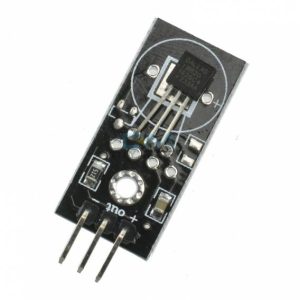
Modulo con sensore Temperatura DS18B20 Digitale per Arduino
Il prezzo originale era: 8,06 €.5,84 €Il prezzo attuale è: 5,84 €. Escluso IVA Aggiungi al carrello -
In offerta!
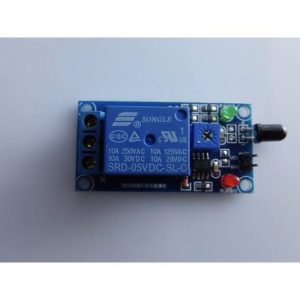
Modulo Relè 5V con Sensore Fiamma Modulo rilevamente fiamma fuoco
Il prezzo originale era: 6,24 €.4,52 €Il prezzo attuale è: 4,52 €. Escluso IVA Aggiungi al carrello -
In offerta!
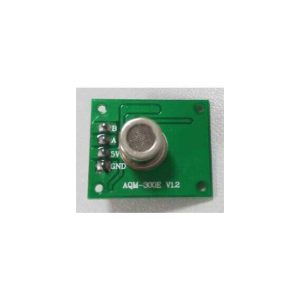
Modulo qualità aria (odore) sensore AQM 300E per Arduino
Il prezzo originale era: 6,01 €.4,35 €Il prezzo attuale è: 4,35 €. Escluso IVA Aggiungi al carrello -
In offerta!
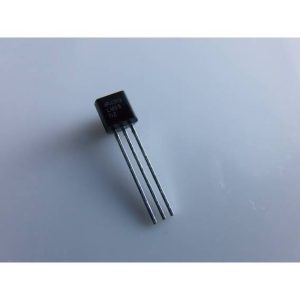
Sensore di Temperatura Analogico LM35DZ TO92 arduino compatibile
Il prezzo originale era: 5,47 €.3,02 €Il prezzo attuale è: 3,02 €. Escluso IVA Aggiungi al carrello