 EN
 IT Italiano
 ES Español
 FR Français
 DE Deutsch
Description
What it is
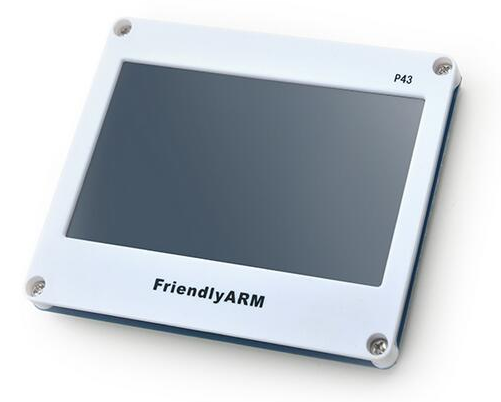
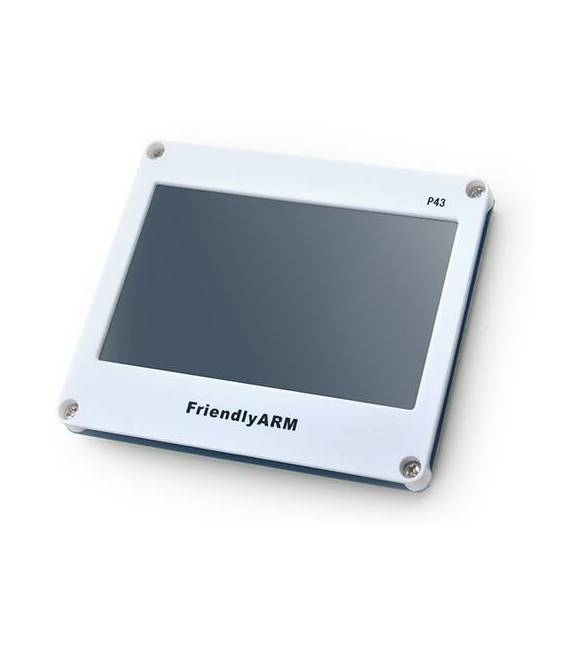
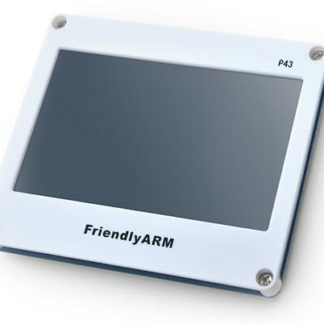
4.3 inch touch screen LCD TFT display with backlight, ideal for Arduino and similar system projects. Adjustable support and compatible with Nanopi2 smart210 and tiny210.
Features
- Dimensions: 4.3 inches
- Type: LCD TFT touch screen
- Backlight: Yes
- Compatibility: Nanopi2 smart210, tiny210
- SKU: ARD0010111
- Price: 40.27 €
What it is for
This touch screen LCD TFT display is perfect for projects requiring an interactive and colorful display. It can be used to create user interfaces for Arduino or similar systems. Examples of use: display ambient temperature and humidity, create small games or interactive applications.
Tutorial: How to use 4.3″ LCD TFT touch screen display P43
This touchscreen LCD TFT display is ideal for projects requiring an interactive and colorful display on Arduino or similar systems. It’s perfect for beginners and intermediates who want to add a user interface to their creation.
What you need
- Arduino Uno
- USB A-MicroB cable
- TFT_eSPI library
Steps
- Connect the display to the microcontroller through the pins specified in the datasheet. Check the power supply voltages.
- Install the TFT_eSPI library from managed libraries or GitHub.
- Configure the library with your display settings, following the example provided in the library documentation.
- Write a simple sketch to initialize the display and draw a colored rectangle.
- Test the touch screen using test examples available in the TFT_eSPI library.
- Physically adjust the display mount position according to your preferences.
Example code
// Includi la libreria
#include <TFT_eSPI.h>
// Crea un'istanza della libreria
TFT_eSPI tft = TFT_eSPI();
void setup() {
tft.init(); // Inizializza il display
}
void loop() {}
Mini project
Create a small application that displays the ambient temperature and humidity on this touchscreen display. Use a DHT11 sensor to detect the data.
Common mistakes
- Do not check the supply voltages before connecting.
- Omit configuring the TFT_eSPI library with display-specific settings.
- Use incorrect examples from the documentation that do not match your display version.
- Do not test the touchscreen before integrating it into your project.
Recommended accessories
- DHT11 Sensor
- Arduino Uno R3
- USB A-MicroB Cable
- TFT_eSPI Library
Frequently asked questions
How can I configure the display?
Follow the TFT_eSPI library documentation and set the specific parameters of your display.
What is the resolution of this display?
Check the datasheet to obtain the exact resolution.
The touchscreen does not work, what should I do?
Test the touch screen with the examples provided by the library and ensure that the connections are correct.
Reviews
There are no reviews yet.