 EN
 IT Italiano
 ES Español
 FR Français
 DE Deutsch
Description
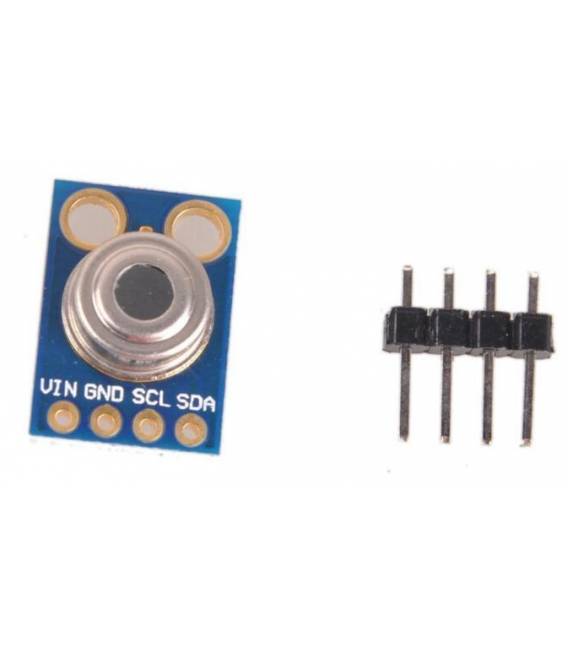
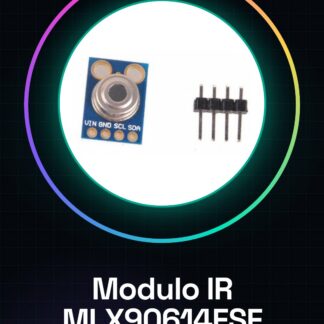
MLX90614ESF AAA IR Module Infrared Thermometer Temperature Sensor Arduino
Tutorial: How to Use Infrared Thermometer Module MLX90614ESF
The MLX90614ESF module is an infrared sensor that allows measuring ambient temperature and human body temperature. Ideal for Arduino projects such as custom thermometers or control systems.
What you need
- Arduino
- USB Cable
- Computer with Arduino IDE installed
Steps
- Connect the MLX90614ESF module to the Arduino pins VCC, GND, SCL, and SDA using a jumper wire.
- Open the Arduino IDE and create a new initialization for the I2C bus with Wire.begin();
- Verify sensor communication using data reading commands like readObjectTemp().
- Read ambient temperature from the MLX90614 library.
- Calculate object temperature (not ambient) using methods specific to the MLX90614 sensor library.
- Display the temperature on the Arduino IDE serial monitor or on an LCD display connected to the Arduino.
- Test the device by changing the position of the thermal target relative to the sensor.
- Fix any reading errors by consulting the datasheet of the MLX90614ESF module.
Example code
//Includi la libreria I2C
#include <Wire.h>
//Includi la libreria specifica per il sensore MLX90614
#include <mlx90614.h>
MLX90614 mlx;
void setup() {
  Serial.begin(9600);
  Wire.begin();
}
void loop() {
  float temp = mlx.readObjectTempC();
  Serial.print("Temperatura: ");
  Serial.println(temp);
}
Mini project
Create a thermal alarm system to monitor the temperature in a room or near an electronic device. If the temperature exceeds a certain value, the alarm sounds.
Common mistakes
- Incorrect temperature reading: check the connections and the datasheet.
- I2C communication problems: check that SCL and SDA are correctly connected.
- Temperature not updating: ensure that the MLX90614 library is installed and configured correctly.
- Inactive sensor: check the power supply for the MLX90614ESF module.
Recommended accessories
- LCD Display 16×2
- Relay Module
- Buzzer
- RTC Real Time Clock DS3231
Frequently asked questions
How can I install the necessary library?
Download and install the MLX90614 library from the Arduino library manager.
The sensor is not responding, what should I do?
Check the connections and review the module’s datasheet for correct settings.
Reviews
There are no reviews yet.