 EN
 IT Italiano
 ES Español
 FR Français
 DE Deutsch
Description
What it is
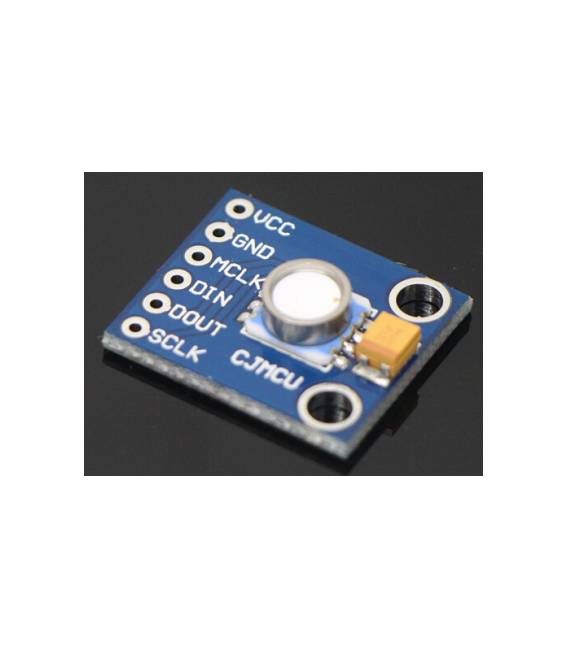
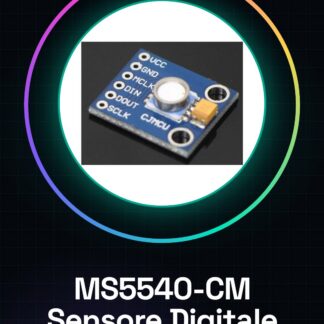
The MS5540-CM waterproof pressure sensor is a digital module designed to measure atmospheric pressure and marine depths. It is ideal for applications requiring accurate pressure measurements in both indoor and outdoor environments.
Features
- Sensitive to atmospheric pressure and marine depths
- Compatible with Arduino
What it is for
The MS5540-CM sensor is suitable for creating weather instruments, environmental monitoring systems, and DIY projects that require accurate pressure measurements. It is particularly useful for makers who want to integrate it into systems that send real-time data to a web platform or smartphone.
Tutorial: How to use MS5540-CM Waterproof Digital Pressure Sensor Module
The MS5540-CM pressure sensor is ideal for measuring atmospheric pressure in both indoor and outdoor environments. It is particularly useful for makers who want to create weather instruments, environmental monitoring systems, and DIY projects that require accurate pressure measurements.
What you need
- Arduino Uno
- USB A-Micro B cable
- Pinout or schematic of the MS5540-CM sensor
Steps
- Connect the MS5540-CM module to the Arduino using the appropriate cables for I2C communication (SDA and SCL).
- Check that the sensor’s power supply voltage is compatible with the one provided by the Arduino.
- Install the necessary library for the MS5540-CM sensor from the Arduino IDE repository or a reliable source.
- Open a new sketch in the Arduino software and import the installed library.
- Configure the program variables with the correct I2C pins and the sensor’s address (check the datasheet).
- Write the code to initialize the sensor and read the pressure data.
- Save the sketch and upload the code to the Arduino.
- Open the Serial Monitor section of the Arduino IDE to view the pressure measurements.
Example code
// Esempio di codice minimo
#include <MS5540.h>

MS5540 sensor;
void setup() {
  Serial.begin(9600);
  if (!sensor.begin()) {
    Serial.println("Errore nell'inizializzazione del sensore");
    while (1); // Blocca il programma in caso di errore
  }
}

void loop() {
  float pressure = sensor.readPressure();
  Serial.print("Pressione: ");
  Serial.println(pressure);
}
Mini project
Design a pressure monitoring system that sends real-time data to a web platform or smartphone using the MS5540-CM module and the Arduino.
Common mistakes
- Check the correct configuration of the I2C pin.
- Make sure you have installed the correct library for the sensor.
- Ensure the sensor is properly powered.
- Adhere to the temperature and pressure limits specified in the sensor datasheet.
Recommended accessories
- I2C Breakout Module
- 16×2 LCD Display
- LiPo Battery for Arduino
Frequently asked questions
Does the sensor work with other platforms besides Arduino?
Yes, the MS5540-CM can be used with any microcontroller that supports I2C communication.
Where can I find the sensor datasheet?
The datasheet is available on the manufacturer’s website or in the Arduino library repository.
Reviews
There are no reviews yet.