 EN
 IT Italiano
 ES Español
 FR Français
 DE Deutsch
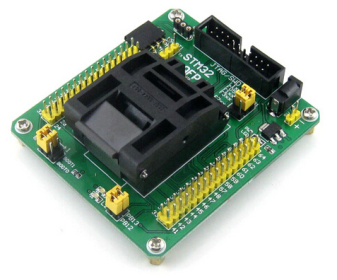
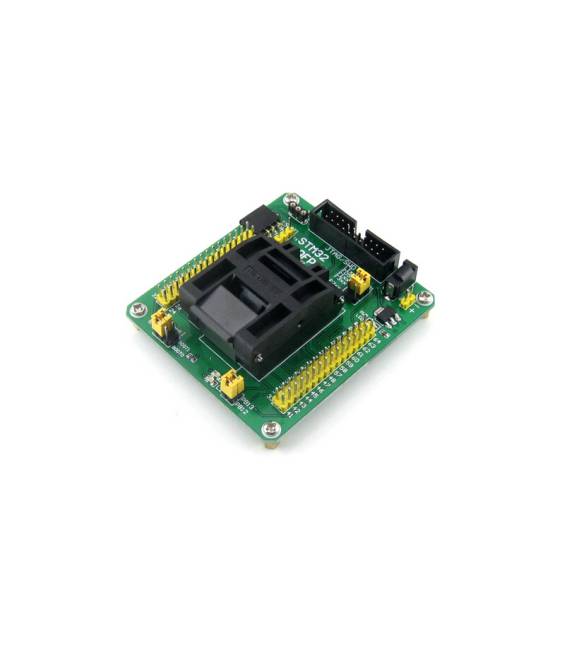
Description
What it is
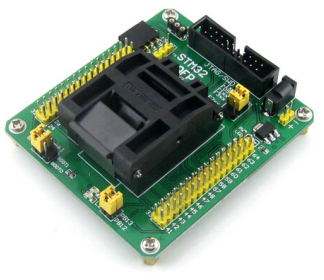
The STM32-QFP64 Programming Adapter is a tool that allows you to configure and debug STM32 microcontrollers in QFP64 format.
Features
- Compatible with STM32 microcontrollers in QFP64 format
- SKU: ARD009341
- Price: 86.58 €
What it is for
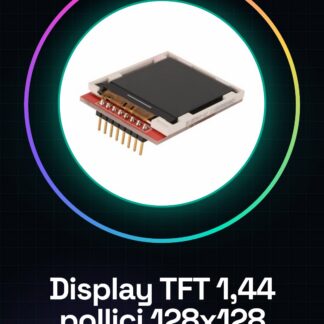
The STM32-QFP64 programming adapter enables you to download code and monitor execution on STM32 microcontrollers in QFP64 format. It can be used for advanced projects that require computational power and connectivity. An example of its use is the creation of an LCD TFT display controlled by STM32, using the adapter for programming and real-time monitoring.
Tutorial: How to use STM32-QFP64 Programming Adapter
The STM32-QFP64 programming adapter allows you to download code and monitor execution on STM32 microcontrollers in QFP64 format. Ideal for advanced projects that require computational power and connectivity.
What you need
- Arduino Uno or compatible
- USB A-Micro B cable
- MicroSD card (optional)
- Development software such as STM32CubeIDE
Steps
- Install the necessary driver for the adapter’s serial communication.
- Connect the Arduino to the computer’s USB port and the adapter to the Arduino’s serial interface (TX, RX, GND, VCC).
- Check the datasheet to correctly connect the specific pins for the QFP64 microcontroller.
- Open STM32CubeIDE or another compatible development environment and configure the board as the programming target.
- Compile and run a simple sketch on STM32 using the adapter to test connectivity.
- Check the datasheet for precise pin specifications and functions of the adapter.
- Monitor data through serial or graphical interface provided by the IDE.
- Test additional features such as downloading updated firmware following the official documentation.
Mini project
Create an STM32-controlled TFT LCD display using the adapter for programming and real-time monitoring.
Common mistakes
- Do not properly verify serial connections.
- Use an outdated version of development software.
- Ignore the specific microcontroller QFP64 configuration in the datasheet.
- Omit downloading the necessary drivers for the adapter.
Recommended accessories
- TFT LCD Display
- USB A-Micro B cable
- MicroSD card
- STM32CubeIDE or similar development environment
Frequently asked questions
How can I access the adapter’s datasheet?
The datasheet is available on the manufacturer’s website and provides all necessary technical information.
Which IDEs do you recommend for programming STM32?
STM32CubeIDE, Atollic TrueSTUDIO or Keil MDK are good options.
Reviews
There are no reviews yet.