 EN
 IT Italiano
 ES Español
 FR Français
 DE Deutsch
Description
What it is
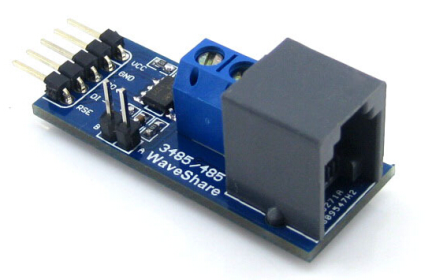
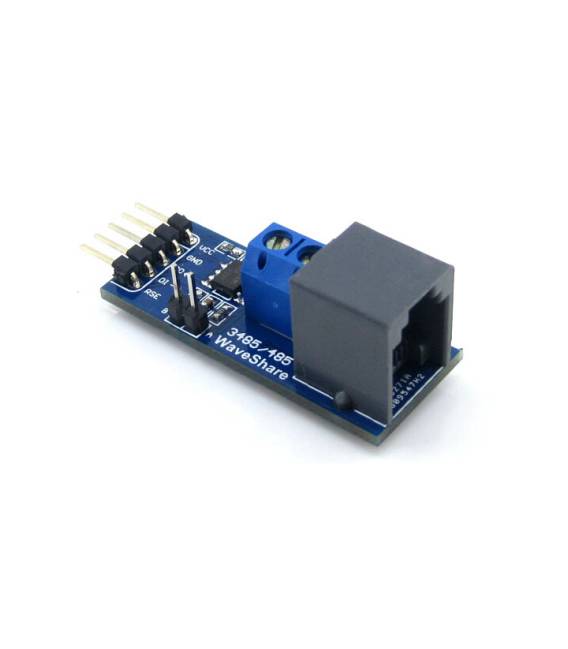
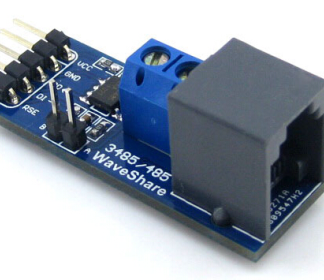
L’RS485 Board (3.3V) It is a communication module that allows the conversion from RS-232 to RS-485, essential for projects requiring long-distance connections between electronic devices.
Features
- Compatible with Arduino and 3.3V microcontrollers
- Uses the SP3485 converter for RS-485 communication
What it is for
This module is ideal for creating remote monitoring systems, for example with a temperature sensor and an LCD display. It is useful for both beginners and intermediates in the realization of projects that require long-distance communication between devices.
Tutorial: How to use RS485 Board
This module allows you to convert from RS-232 to RS-485, ideal for connecting devices over long distances. Useful for beginners and intermediates.
What you need
- Arduino
- RS-485 cable
- PC with serial monitor software
- RS-232 device to test
Steps
- 1. Installation: Download and install the SP3485 library on Arduino IDE.
- 2. Connection: Connect VCC to the 3.3V Arduino, GND to the GND Arduino, TX to the RX of the RS-232 device, RX to the TX of the RS-232 device.
- 3. Configuration: Set the communication speed to 9600 bps in the code.
- 4. Code: Insert the example code provided in the library.
- 5. Test: Connect the module to a PC to monitor the communication.
- 6. Verification: Connect the RS-232 device and verify the communication.
- 7. Debug: If problems occur, check the datasheet for configuration parameters.
- 8. Connect: Connect the module to a project for long-range communication.
Example code
```
#include <SP3485.h>

SP3485 rs485;

void setup() {
  Serial.begin(9600);
  rs485.begin();
}

void loop() {
  if (Serial.available()) {
    rs485.send(Serial.read());
  }
}```
Mini project
Create a remote monitoring system with a temperature sensor and an LCD display.
Common mistakes
- Forget to configure the communication speed.
- Incorrectly connect the TX/RX pins.
- Do not install the SP3485 library.
- Experience communication problems without checking the configuration parameters.
Recommended accessories
- Temperature sensors
- LCD display
- Connection Wires
- RS-232 Device
Frequently asked questions
How to set the communication speed?
Set it in the Arduino code with `Serial.begin(9600);`.
Why doesn’t the communication work?
Check the pin configuration and communication speed.
What are the power supply requirements?
3.3V Power Supply.
Reviews
There are no reviews yet.