 EN
 IT Italiano
 ES Español
 FR Français
 DE Deutsch
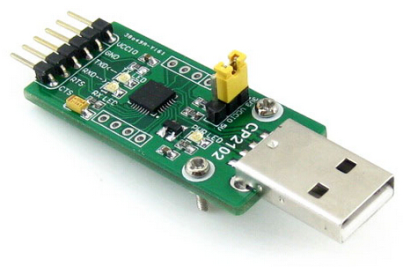
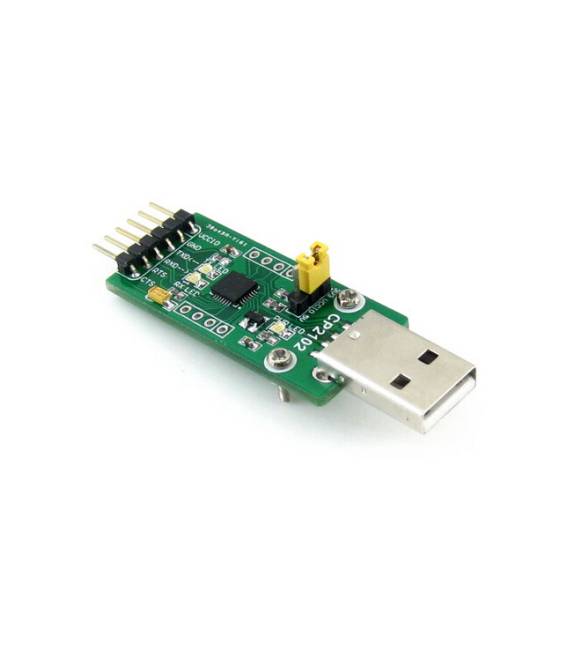
Description
What it is
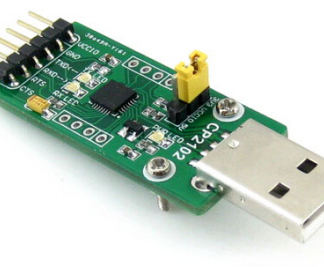
The CP2102-GM CP2102 (Type A) USB UART board is a converter that allows communication between devices with a UART (Universal Asynchronous Receiver/Transmitter) interface and a computer via a USB port.
Features
- UART-USB Converter
- CP2102-GM Chip
- USB Type A Interface
What it is for
The board is useful for connecting serial devices to a computer, such as Arduino or ESP modules. It allows sending and receiving serial data between the computer and the connected device. It is ideal for electronic prototyping, automation, and control projects.
Tutorial: How to use CP2102-GM CP2102 (Type A)
This UART-USB converter is ideal for connecting serial devices to a computer. Useful for beginner and intermediate makers.
What you need
- CP2102-GM CP2102 (Type A)
- PC with Windows or Linux operating system
- USB A-A cable
Steps
- 1. Check the datasheet for power supply specifications.
- 2. Connect the USB cable between the CP2102 and the computer.
- 3. Check the datasheet to see if drivers are required.
- 4. If necessary, install the drivers on your computer.
- 5. Check the datasheet for the correct baud rate configuration.
- 6. Connect the UART device to the CP2102.
- 7. Check the datasheet for the correct pin polarity.
- 8. Try sending a message from a serial software.
Mini project
Create a simple Arduino sketch to send and receive serial messages.
Common mistakes
- Do not connect the pins correctly.
- Omit the installation of drivers.
- Use a baud rate different from the configured one.
- Do not use a USB A-A cable.
Recommended accessories
- UART Device
- Arduino
- USB A-B cable
- Serial software
Frequently asked questions
Are the drivers already installed on my system?
Check the datasheet to see if your operating system requires specific drivers.
Can I use a USB A-B cable?
Use a USB A-A cable to connect the CP2102 to the computer.
What is the default baud rate?
Check the datasheet for the default baud rate.
Reviews
There are no reviews yet.