 EN
 IT Italiano
 ES Español
 FR Français
 DE Deutsch
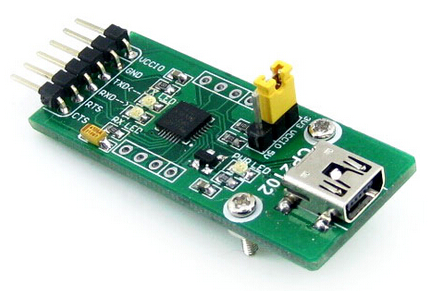
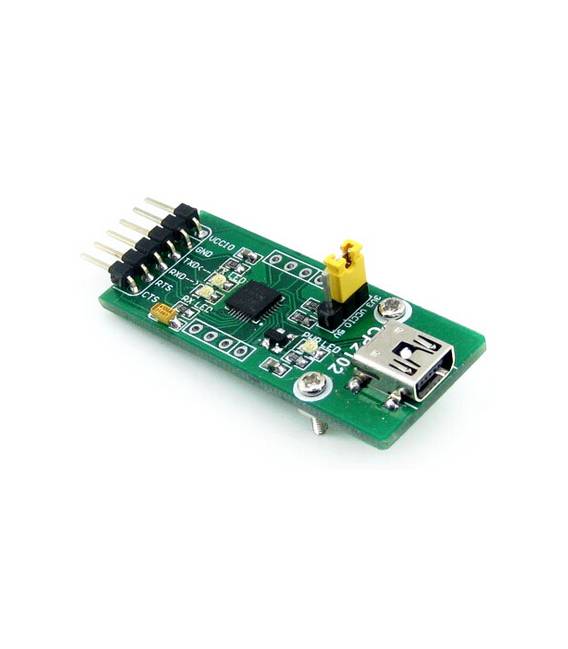
Description
What it is
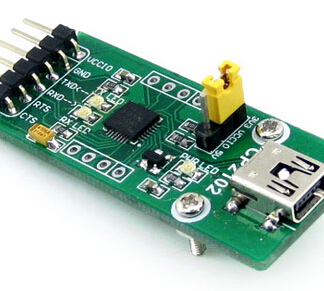
The CP2102 USB UART Board is a communication module that allows data transmission between serial devices and computers via the USB interface. This data converter is essential for Arduino projects and other systems based on UART.
Features
- USB to UART Data Converter
- Compatible with serial devices
- Enables direct communication between a computer and serial devices via USB
What it is for
The CP2102 USB UART Board is useful for Arduino, ESP, and other systems that require easy data communication to and from the USB interface. It can be used to create simple control interfaces for devices such as servo motors.
Tutorial: How to use CP2102 USB UART Board
The CP2102 USB UART Board allows you to connect serial devices to a computer via USB. Useful for Arduino and UART-based sensor projects.
What you need
- CP2102 USB UART Board
- Arduino
- USB cable
- Serial Monitor
Steps
- 1. Installation: Download and install the USB CDC driver for CP2102 from the official Silabs website.
- 2. Connection: Connect the CP2102 to your Arduino via the RX/TX pins.
- 3. Configuration: Set the communication speed to 9600 baud in the Serial Monitor.
- 4. Testing: Load a simple example sketch to send and receive data.
- 5. Debugging: Use the Serial Monitor to check the communication.
- 6. Setup: Install the CP2102 in a project to connect serial devices.
- 7. Verification: Ensure that the communication works correctly.
- 8. Documentation: Consult the datasheet for further details.
Example code
```
void setup() {
  Serial.begin(9600);
}

void loop() {
  Serial.println("Hello, World!");
}
```
Mini project
Create a simple control interface for a servo motor using the Arduino and CP2102.
Common mistakes
- Do not install the correct driver.
- Connect the RX/TX pins in reverse.
- Set the communication speed to something other than 9600 baud.
- Omit the verification of communication.
Recommended accessories
- Servo motor
- Power cable
- 1kΩ resistor
- Electronic kit
Frequently asked questions
How can I verify the correct installation of the driver?
Check if the CP2102 appears in the Device Manager as a serial port.
Which pins to use for the connection?
Use pins D0 (RX) and D1 (TX) of the Arduino.
Does the CP2102 work only with Arduino?
No, it works with any device that supports serial communication.
What to do if it doesn’t work?
Check the connection and the driver. Check the datasheet for further details.
Reviews
There are no reviews yet.