 EN
 IT Italiano
 ES Español
 FR Français
 DE Deutsch
Description
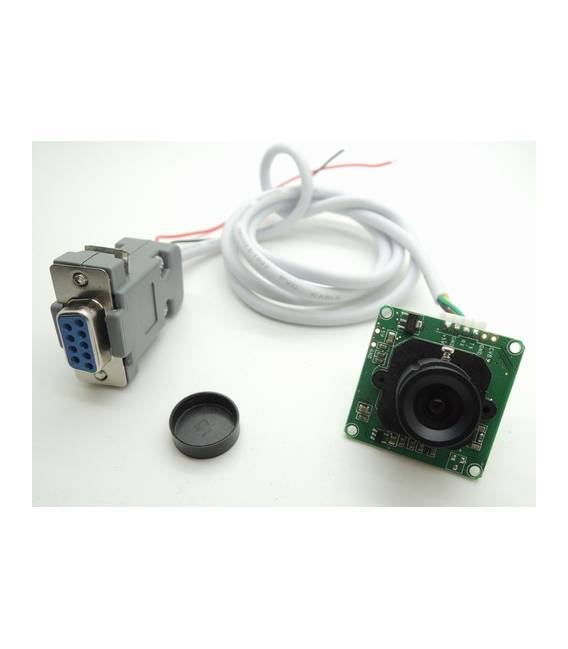
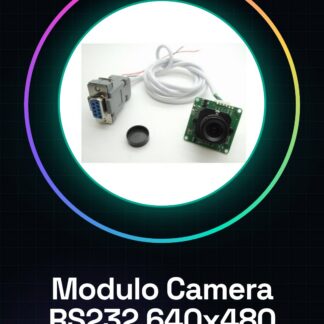
What is the RS232 Serial Interface Camera Module? This image acquisition device is designed to be integrated into electronic and robotics projects, particularly with Arduino. With a resolution of 640×480, this module is ideal for applications requiring real-time image transmission via the RS232 protocol. Features Resolution: 640×480 Number of pixels: 300,000 Interface: RS232 What is it for? This module is suitable for image processing projects, home or industrial monitoring systems, and robotics applications. It is compatible with Arduino and other microcontrollers that support the RS232 interface. Tutorial: How to use RS232 Camera Module The RS232 camera module is a useful device for acquiring real-time images from close distances. It is ideal for image processing projects, monitoring systems, and robotics. What is needed Arduino Uno USB A-MicroB cable Portable computer with Arduino IDE installed Steps Connect the RS232 module to the Arduino using the appropriate serial connectors (check the datasheet for connection specifications). Download and install the necessary library to manage the RS232 interface. Open the Arduino IDE software, write the provided sketch, and upload it to the Arduino. Ensure that the serial drivers are installed on the computer (if not already present). Enter the activation key for the RS232 module following the datasheet instructions (check the datasheet for the exact code). Open the uploaded sketch on the Arduino and configure the serial parameters. Monitor the serial output from the computer to verify that the communication has occurred correctly. View the images received on the RS232 module through an image processing software. Example Code // Include the necessary library #include // Configure the SoftwareSerial for communication with the camera module SoftwareSerial mySerial(10, 11); void setup() { Serial.begin(9600); mySerial.begin(38400); // check the datasheet for the correct speed } void loop() { if (mySerial.available()) Serial.write(mySerial.read()); } Mini-project Build a home monitoring system that acquires and sends real-time images using the RS232 module. Common Errors Serial speed configuration error. Missing installation of necessary drivers on the computer. Incorrectly connected serial connector
Reviews
There are no reviews yet.