 EN
 IT Italiano
 ES Español
 FR Français
 DE Deutsch
Description
What it is
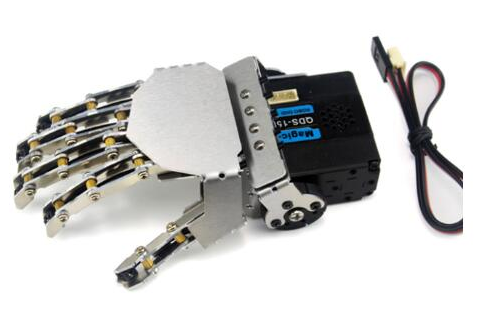
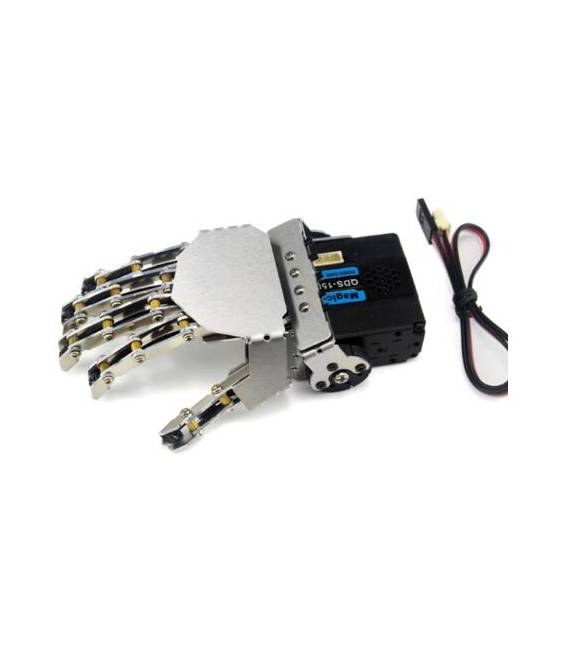
The Right Hand Robot with Five Fingers is a metal robotic manipulator arm, ideal for robotics and manipulation projects. It allows for the creation of bionic hands or simple robotic arms, suitable for both beginners and intermediate users.
Features
- 5 fingers
- Metallic materials
- SKU: ARD0010501
- Price: 76.35 €
What it is for
The Right Hand Robot with Five Fingers can be used to create a simple robotic gripper that automatically closes when the fingers touch an object. It is suitable for Arduino projects, allowing the automation of tasks and the manipulation of electronic components.
Tutorial: How to use the Right Hand Robot with Five Fingers
The Right Hand Robot with Five Fingers is ideal for robotics and manipulation projects. Useful for beginners and intermediates, it allows for the creation of bionic hands or simple robotic arms.
What you need
- Arduino UNO or compatible
- USB cable
- Electromechanical gripper (optional)
- Pressure sensors (optional)
Steps
- 1. Download and install the USB driver for your Arduino.
- 2. Connect the Arduino to the computer.
- 3. Download the minimum code from the Arduino library.
- 4. Upload the code to the Arduino.
- 5. Connect the robotic hand to the Arduino.
- 6. Check the datasheet for correct power supply.
- 7. Test the finger movements.
- 8. Add pressure sensors to control the applied force.
Example code
void loop() {
  for (int i = 0; i < 5; i++) {
    digitalWrite(pins[i], HIGH);
    delay(500);
    digitalWrite(pins[i], LOW);
  }
}
Mini project
Build a simple robotic pinch that closes automatically when the fingers touch an object.
Common mistakes
- Do not connect the power supply correctly.
- Use the wrong pins for finger movements.
- Omit checking the current on the datasheet.
- Do not test the movements before adding sensors.
Recommended accessories
- Electromechanical pinch
- Pressure sensors
- Cables for connection
- 5V power supply
Frequently asked questions
How can I control the position of the fingers?
Add a servo for each finger and control the position with servo codes.
Can I use this robotic hand with another microcontroller?
Yes, but check compatibility and current on the datasheet.
Which sensors can I use to improve the robotic hand?
Pressure sensors or position sensors can improve manipulation.
How can I get the minimum code?
Download it from the Arduino library or the product documentation.


Reviews
There are no reviews yet.