 EN
 IT Italiano
 ES Español
 FR Français
 DE Deutsch
Description
What it is
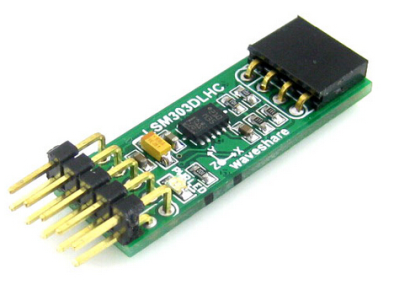
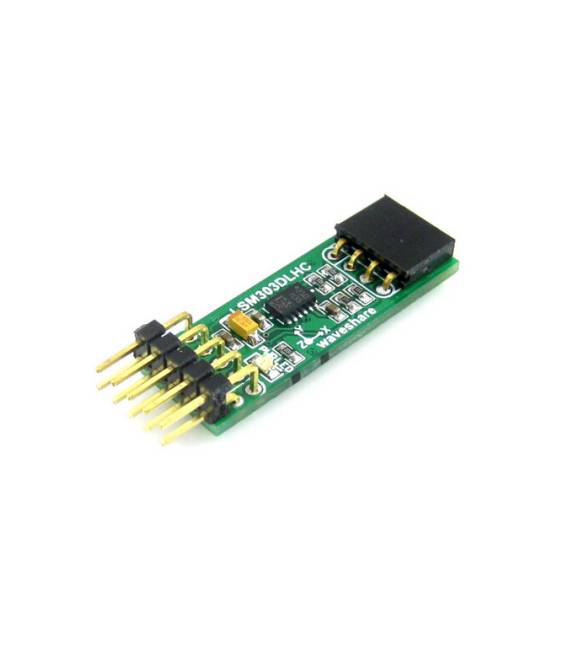
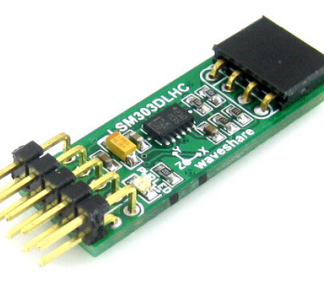
LSM303DLHC Board is a development board for Arduino that integrates a digital 3D e-compass magnetometer.
Features
- 3D Magnetic Sensor LSM303DLHC
- Electronic Compass
- SKU: ARD009330
- Price: 10.47 €
What it is for
The LSM303DLHC is useful for orientation and magnetic field measurement projects. It can be used to create a digital orientation indicator, connect the sensor to an LCD display to show direction, or for navigation, orientation, and magnetic field monitoring projects. The board is compatible with Arduino.
Tutorial: How to use LSM303DLHC
The LSM303DLHC is a 3D magnetic sensor that helps determine direction and magnetic field. Useful for navigation, orientation, and magnetic field monitoring projects.
What you need
- Arduino IDE
- USB Cable
- 10kΩ Resistor
- Protoboard Paper
- Jumper Connector
Steps
- 1. Download and install the Arduino IDE.
- 2. Connect the LSM303DLHC to your Arduino using 6 jumpers.
- 3. Connect the 10kΩ resistor between VCC and GND of the sensor.
- 4. Connect VCC and GND of the sensor to your Arduino.
- 5. Connect to your Arduino with the USB cable.
- 6. Load the following code.
- 7. Check magnetic data through the Arduino console.
- 8. Refer to the datasheet for further details.
Example code
```cpp
#include <Wire.h>
#include <LSM303.h>

LSM303 lsm;

void setup() {
  Serial.begin(9600);
  if (!lsm.begin()) {
    Serial.println("LSM303 not found");
    while (1);
  }
}

void loop() {
  lsm.getM();
  Serial.print("Magnet: ");
  Serial.print(lsm.m.x); Serial.print(", ");
  Serial.print(lsm.m.y); Serial.print(", ");
  Serial.println(lsm.m.z);
  delay(250);
}
```
Mini project
Create a digital orientation indicator using the LSM303DLHC. Connect the sensor to a 16×2 LCD display to show direction.
Common mistakes
- Forget to connect VCC and GND.
- Do not use the 10kΩ resistor.
- Download the LSM303 library.
- Do not use the USB cable to connect the sensor.
Recommended accessories
- 16×2 LCD Display
- Arduino Uno
- Jumper Connector
- 10kΩ Resistor
Frequently asked questions
How can I verify if the sensor is working correctly?
Run the code and check magnetic data. If you do not receive data, check the connection and the library.
Can I use this sensor with Arduino Nano?
Yes, the LSM303DLHC is compatible with Arduino Nano.
How long does it take to set up the sensor?
Setup takes approximately 15-20 minutes.
Reviews
There are no reviews yet.