 EN
 IT Italiano
 ES Español
 FR Français
 DE Deutsch
Description
What it is
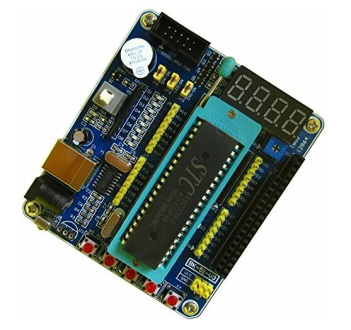
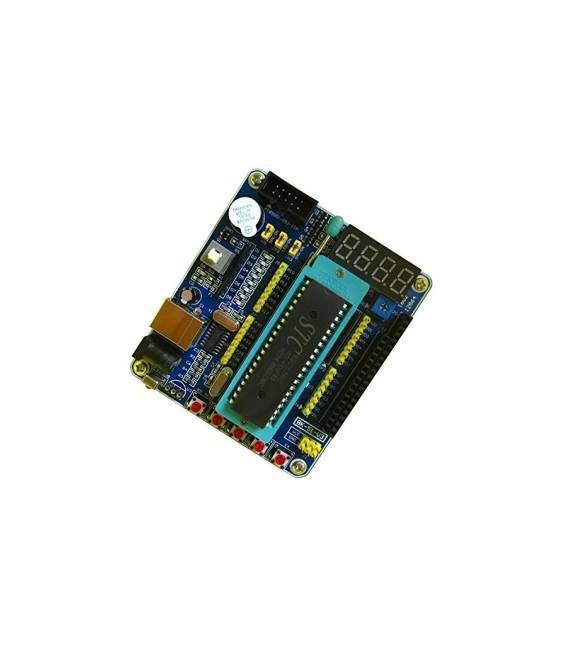
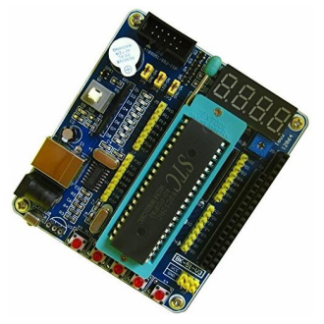
The 51 MCU STC89C52 Development Board for Smart Car (SKU: ARD009201) is a printed circuit board designed for developing applications based on the STC89C52 microcontroller.
Features
- Microcontroller: STC89C52
- Compatibility: Smart Car Projects
- Price: 15.41 €
What it is for
This board is ideal for programmers and makers who want to test and develop applications based on 51 microcontrollers. It can be used to create simple automation projects, such as an alarm for your car.
Tutorial: How to Use the 51 MCU STC89C52 Development Board
This development board is ideal for developers who want to test and develop applications based on 51 microcontrollers. It is perfect for beginners and intermediates.
What you need
- STC89C52 Development Board
- Arduino IDE
- USB Cable
- Test Circuit (check the datasheet)
Steps
- 1. Download and install the Arduino IDE.
- 2. Connect the development board to the computer via USB cable.
- 3. Select ‘STC89C52’ as board in the menu ‘Tools > Board’.
- 4. Select ‘USBasp’ as programmer in the menu ‘Tools > Programmer’.
- 5. Load the example code ‘Blink’ into the Arduino IDE.
- 6. Select ‘Upload’ to load the code onto the microcontroller.
- 7. Check that the LED brightens and dims periodically.
- 8. Try to modify the code and reupload to see the changes.
Example code
void loop() {
  digitalWrite(LED_BUILTIN, HIGH);
  delay(1000);
  digitalWrite(LED_BUILTIN, LOW);
  delay(1000);
}
Mini project
Build a simple car alarm signal. Connect a siren to an output pin and program the alarm to sound every 10 seconds.
Common mistakes
- Forget to select the correct board and programmer.
- Load the code without having the board properly connected.
- Use pins that are not available on the microcontroller.
- Omit checking the code before upload.
Recommended accessories
- LED
- Siren
- Resistor
- Test lead
Frequently asked questions
How can I verify if the board is properly connected?
Check the reset LED. It should blink when the board is properly connected and ready for uploading.
Which pins can I use to connect an external device?
Refer to the datasheet for the complete list of available pins.
Can I use this board with other development programs?
The board only supports the Arduino IDE, refer to the datasheet for further details.
What are the power limits of this board?
Refer to the datasheet for electrical power limits.
Reviews
There are no reviews yet.