 EN
 IT Italiano
 ES Español
 FR Français
 DE Deutsch
Description
What it is
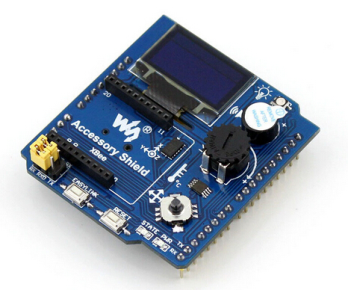
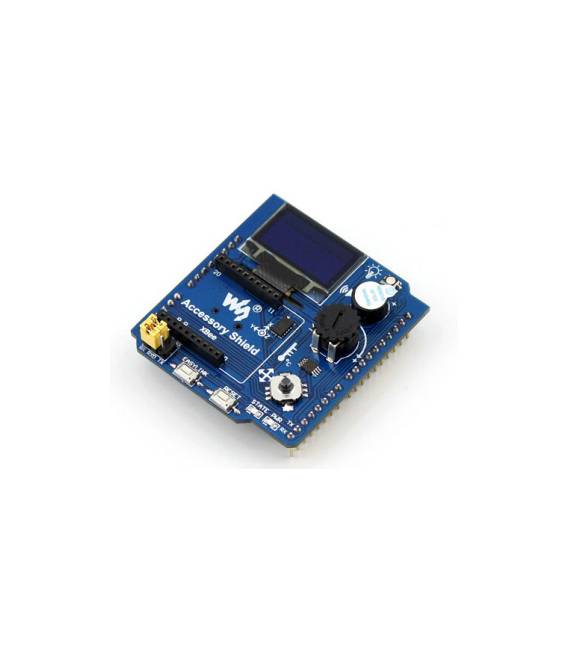
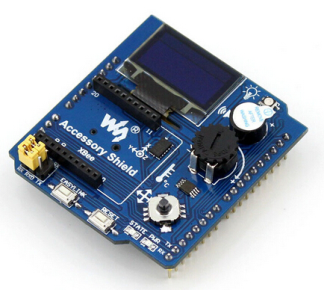
The Arduino Accessory Shield is an expansion module that allows adding interactive features to Arduino-based projects. This shield includes components such as joystick, potentiometer, and buzzer, making it ideal for creating prototypes with user interactions.
Features
- Adjustable Joystick
- Potentiometer
- Buzzer
- Temperature Sensor (check datasheet)
What it is for
Beginners and designers can use this shield to create interactive prototypes such as simple games where the joystick controls a cursor and the potentiometer adjusts the speed of an audio signal. It is compatible with Arduino and can be integrated into various types of projects.
Tutorial: How to Use Arduino Accessory Shield
This shield is perfect for quickly prototyping interactive user interfaces and sounds on Arduino. Useful for beginners and designers.
What you need
- Arduino compatible
- Power cable
- Joystick
- Potentiometer
- Buzzer
- Temperature Sensor
Steps
- 1. Mount the shield on the compatible Arduino.
- 2. Connect the Joystick to pin A0.
- 3. Connect the Potentiometer to pin A1.
- 4. Connect the Buzzer to pin 9.
- 5. Connect the Temperature Sensor to pin A2.
- 6. Load the provided Arduino code.
- 7. Test the Joystick: move the joystick and observe the values on the monitor.
- 8. Test the Potentiometer: turn the potentiometer and verify the values on the monitor.
Example code
void loop() {
  int joystickValue = analogRead(A0);
  int potentiometerValue = analogRead(A1);
  Serial.println(joystickValue);
  Serial.println(potentiometerValue);
}
Mini project
Create a simple game where the joystick controls a cursor and the potentiometer adjusts the speed of a sound signal.
Common mistakes
- Do not connect the sensors correctly.
- Use unsupported pins.
- Forget to load the code.
- Do not test the sensors.
Recommended accessories
- LCD Display
- Button
- LED
- Servo
Frequently asked questions
How can I verify the functionality of the temperature sensor?
Connect the sensor to pin A2 and upload the code that reads the analog value. Observe the values on the monitor.
Does the Joystick control something specific?
The Joystick provides analog values that can be read by the Arduino code to control various aspects of the program.
Can I use this shield with Arduino Nano?
Yes, the shield is compatible with Arduino Nano.
Reviews
There are no reviews yet.