 EN
 IT Italiano
 ES Español
 FR Français
 DE Deutsch
Description
What it is
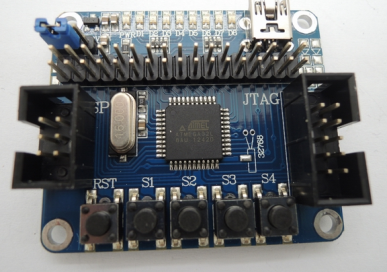
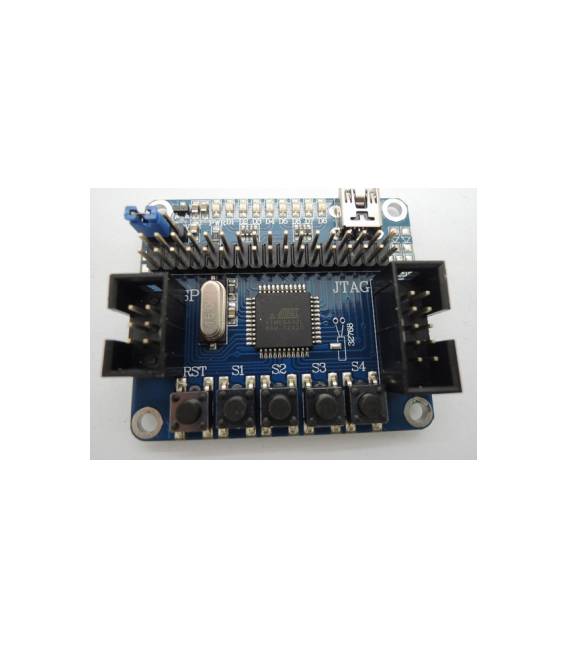
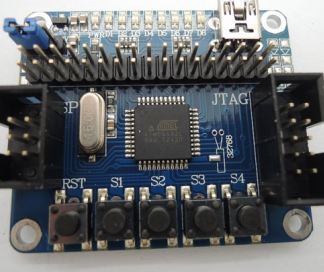
The ATMEGA32L-AU MCU AVR Board is a main board based on the ATMEGA32L-AU microcontroller. It is a versatile electronic component designed for robotics projects, control systems, and electronic applications.
Features
- Microcontroller: ATMEGA32L-AU
- SKU: ARD005953
- Price: 8.85 €
What it is for
The board is suitable for robotics projects, control systems, and simple electronic applications. It can be used to develop applications such as LED timers, sensor readers, and control devices. Compatibility with Arduino allows the use of existing libraries and software to simplify development.
Tutorial: How to Use ATMEGA32L-AU MCU
The ATMEGA32L-AU is a versatile microcontroller for Arduino-based projects. Useful for beginners and intermediates, it allows the development of simple electronic applications.
What you need
- Arduino IDE
- USB Cable
- 10kΩ Resistor
- LED
- Alkaline Battery 1.5V
Steps
- 1. Install Arduino IDE.
- 2. Download the USB driver for your PC.
- 3. Connect the ATMEGA32L-AU to your Arduino UNO.
- 4. Install a 10kΩ resistor between VCC and GND.
- 5. Connect the LED to pin 13 and to GND.
- 6. Load the ‘Blink’ example sketch in Arduino IDE.
- 7. Check the datasheet for the presence of a battery.
- 8. Power the ATMEGA32L-AU with the battery and observe the LED turning on and off.
Example code
void loop() { digitalWrite(LED_BUILTIN, HIGH); delay(1000); digitalWrite(LED_BUILTIN, LOW); delay(1000);}Mini project
Create a simple LED timer that turns the LED on and off every second.
Common mistakes
- Forget to install the USB driver.
- Connect the ATMEGA32L-AU directly to VCC without a resistor.
- Use an incompatible power supply.
- Omit checking the datasheet.
Recommended accessories
- Arduino UNO
- 10kΩ resistor
- LED
- 1.5V alkaline battery
Frequently asked questions
How can I program the ATMEGA32L-AU?
Connect the ATMEGA32L-AU to your Arduino UNO and upload a sketch via Arduino IDE.
Which pins can the ATMEGA32L-AU use?
Check the datasheet to know the available pins.
Can I use the ATMEGA32L-AU with other Arduino boards?
Yes, but check the compatibility on the datasheet.
Reviews
There are no reviews yet.