 EN
 IT Italiano
 ES Español
 FR Français
 DE Deutsch
Description
What it is
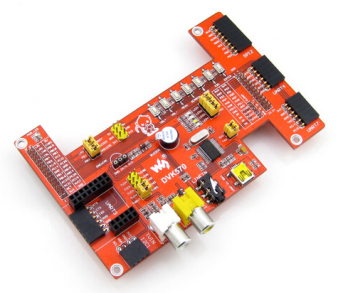
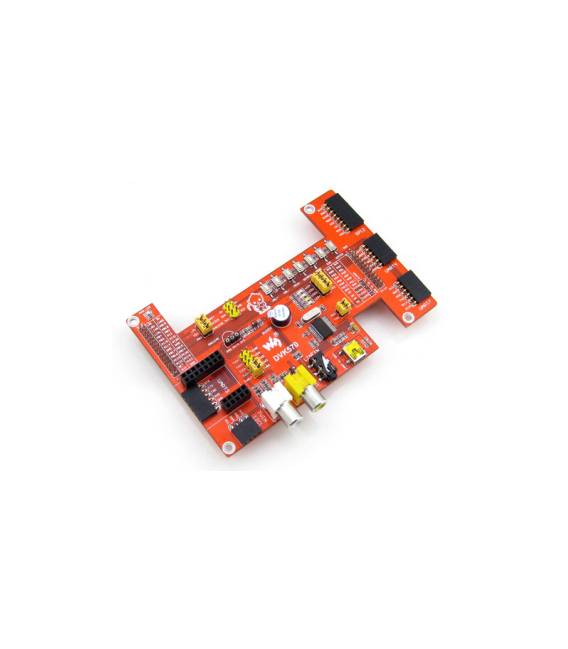
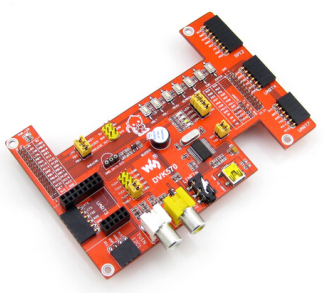
The DVK571 Cubietruck T Board is a development kit for Arduino that includes a main Cubieboard 3 board and an expansion module. This product is designed to facilitate work on advanced projects, offering extended features and computational power.
Features
- Main Cubieboard 3 board
- Expansion module compatible with Arduino
What it is for
The DVK571 is ideal for developers working on advanced projects requiring computational power and connectivity. It can be used to create control systems for drones or other IoT devices, utilizing the board’s GPIO.
Tutorial: How to use Cubietruck T Board
The Cubietruck T Board is an advanced development board for Arduino with features that are useful for projects requiring computational power and connectivity.
What you need
- Cubietruck T Board ARD009355
- Arduino IDE
- USB cable
- SD cards (optional)
Steps
- 1. Install Arduino IDE.
- 2. Connect T Board with Arduino IDE.
- 3. Verify hardware specifications on the datasheet.
- 4. Load a sample sketch.
- 5. Check USB connectivity.
- 6. Add SD cards for storage.
- 7. Test serial interface.
- 8. Verify GPIO functionality.
Example code
void setup() { Serial.begin(9600); } void loop() { Serial.println("Cubietruck T Board"); delay(1000); }Mini project
Create a control system for a drone using GPIO.
Common mistakes
- Do not verify specifications on the datasheet.
- Connect power supplies correctly.
- Forget to install Arduino IDE.
- Do not use SD cards.
Recommended accessories
- Arduino IDE
- SD cards
- USB cable
- Drone
Frequently asked questions
How can I verify USB connectivity?
Check the connection in the Arduino IDE panel.
What hardware specifications should I check?
Check the datasheet for power supply, GPIO, and connectivity specifications.
Can I use this board with Arduino IDE 1.8.x?
Yes, but make sure to use the latest version.
Reviews
There are no reviews yet.