 EN
 IT Italiano
 ES Español
 FR Français
 DE Deutsch
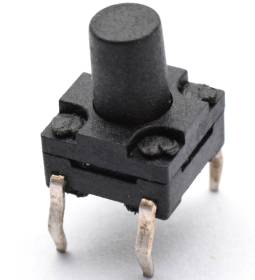
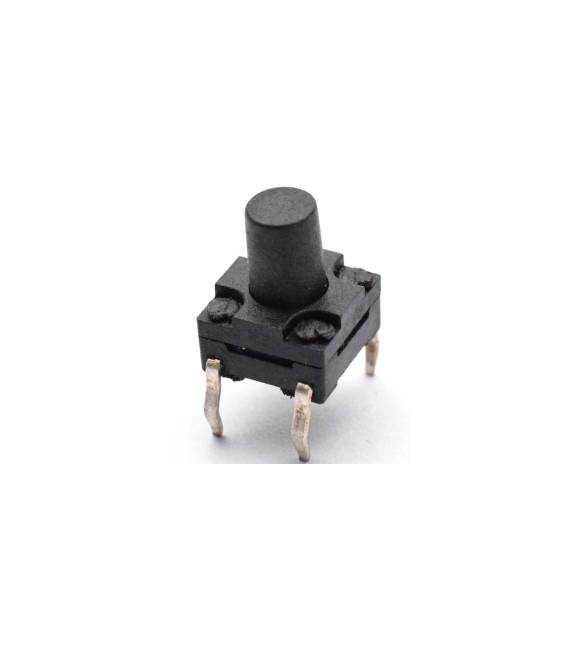
Description
This kit includes 5 waterproof tactile buttons with dimensions 6x6x8mm. Ideal for Arduino projects and applications requiring a water-resistant user interface. Features – 5 pieces – Dimensions: 6x6x8mm – Waterproof – Type: Tactile button What are they for? These tactile buttons are perfect for Arduino projects and applications that require a water-resistant user interface. They can be used to create acoustic alarm systems, electronic device interfaces, or any application requiring a durable and reliable button. Tutorial: How to use the 6x6x8mm Waterproof Tactile Buttons This kit is ideal for projects needing water-resistant human-computer interfaces. Suitable for beginner and intermediate makers. What you need – 5 tactile switches – Arduino connector – Multimeter (for testing) – Screwdriver Steps 1. Check that the buttons are waterproof by verifying on the datasheet. 2. Prepare a piece of circuit board or protoboard. 3. Connect the buttons to the protoboard using connecting wires. 4. Connect to your Arduino using appropriate pins. 5. Write code to manage the buttons (example: `void loop() { if (digitalRead(buttonPin) == HIGH) { // Turn on an LED } }`). 6. Load the code onto your Arduino. 7. Test the buttons to ensure they work correctly. 8. Install the buttons on the final prototype. Example Code void loop() { if (digitalRead(buttonPin) == HIGH) { // Turn on an LED } } Mini-project Build a simple acoustic alarm system. Connect a button to a beeper and program it to emit sound when pressed. Common mistakes Not verifying water resistance before use. Connecting buttons to the same pin, causing conflicts. Omitting connection verification before loading code. Not using a protoboard, making installation difficult. Recommended accessories Arduino Uno Beeper LED Resistor Frequently Asked Questions How can I verify water resistance? Check on the datasheet or immerse the buttons in water for 5 minutes. Which pins should I use for the buttons? Use digital pins of your Arduino. Does the kit include code for the buttons? No, you need to write it yourself. Can I use these buttons for seismology projects? Verify if the buttons can withstand high pressure and vibrations.



Reviews
There are no reviews yet.