 EN
 IT Italiano
 ES Español
 FR Français
 DE Deutsch
Description
What it is
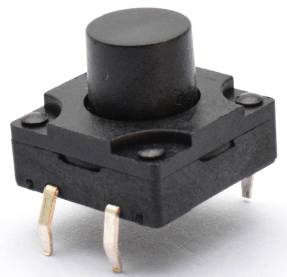
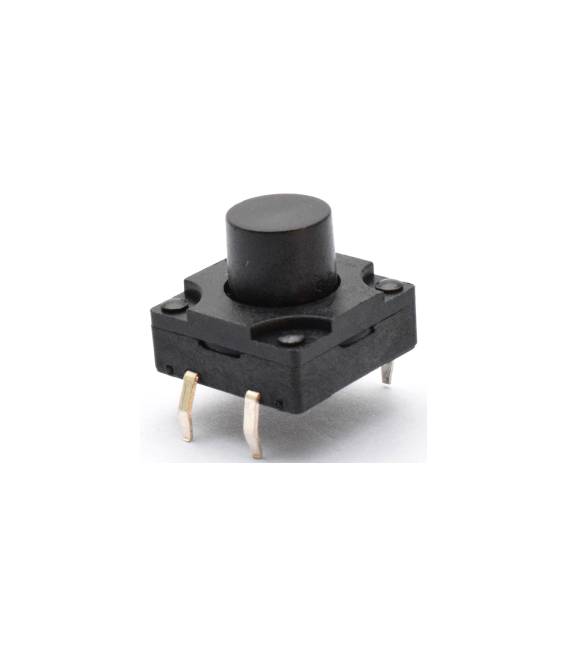
Kit of 4 Waterproof Tactile Buttons 12x12x6mm – 4 Pieces is a set of four waterproof tactile buttons with dimensions 12x12x6mm.
Features
- 4 pieces
- Dimensions: 12x12x6mm
- Type: Tactile switch
- Waterproof
What it is for
These tactile buttons are ideal for Arduino projects that require water-resistant user interfaces. They can be used to create simple alarm systems, robot interfaces, or any application that needs a moisture-resistant button.
Tutorial: How to Use Waterproof Tactile Buttons 12x12x6mm
These tactile buttons are perfect for projects that require water-resistant user interfaces. Suitable for beginner and intermediate makers.
What you need
- Arduino or compatible board
- Power cable
- Multimeter
- Screws
Steps
- Check the datasheet for power supply specifications.
- Connect the buttons to the board using digital pins.
- Configure the pins as input pull-up.
- Write the code to handle the buttons.
- Test the buttons to ensure they work correctly.
- Try connecting an LED to display the state of the buttons.
- Check the stability of the contacts under pressure.
- Mount the buttons on a prototype.
Example code
```
int buttonPin = 2;
int ledPin = 13;

void setup() {
  pinMode(buttonPin, INPUT_PULLUP);
  pinMode(ledPin, OUTPUT);
}

void loop() {
  if (digitalRead(buttonPin) == LOW) {
    digitalWrite(ledPin, HIGH);
  } else {
    digitalWrite(ledPin, LOW);
  }
}
```
Mini project
Create a simple alarm system with a button and an LED. Connect a button to a digital pin and an LED to another pin. When you press the button, the LED turns on.
Common mistakes
- Connect the buttons to an analog pin.
- Omit the pull-up resistor.
- Forget to test the buttons.
- Do not use a protoboard to mount the buttons.
Recommended accessories
- Protoboard
- LED
- Pull-up resistor
- Protoboard
Frequently asked questions
How can I test the buttons?
Press the buttons and verify that the LED connected to the corresponding pin turns on or off.
Are the buttons waterproof in any condition?
Check the datasheet for water resistance specifications. The buttons are waterproof under normal conditions.
Can I use these buttons with a microcontroller other than Arduino?
Yes, these buttons can be used with any compatible microcontroller.



Reviews
There are no reviews yet.