 EN
 IT Italiano
 ES Español
 FR Français
 DE Deutsch

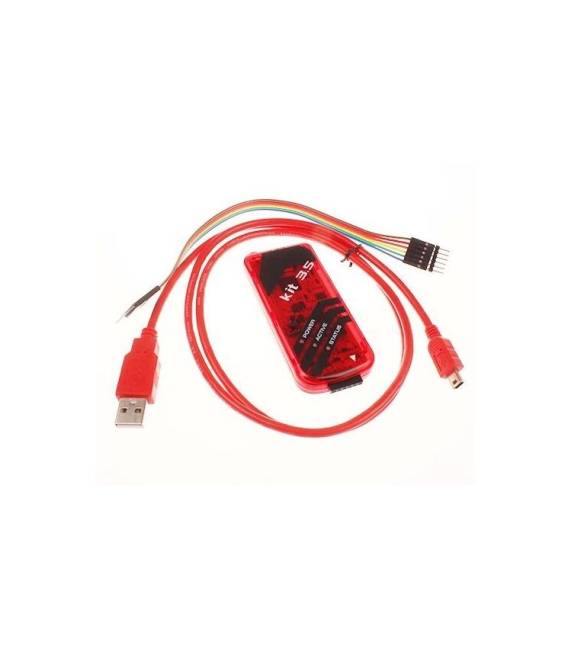
Description
What it is
The PICKIT3.5 is a tool for developers and makers working with PIC microcontrollers. It serves both as a programmer and a simulator, allowing you to test your code before physical programming.
Features
- PIC Microcontroller Simulation Service
- PIC Microcontroller Programmer
What it is for
The PICKIT3.5 is ideal for advanced electronics projects that require the programming and testing of PIC microcontrollers. You can use it to create simple circuits like a button-controlled light.
Tutorial: How to Use PICKIT3.5 PIC Kit3.5 Simulator
The PICKIT3.5 is an essential tool for developers and makers working with PIC microcontrollers. You can use it both as a programmer and a simulator, allowing you to test your code before physical programming.
What you need
- Windows or Linux computer
- USB A-B cable
- Compatible PIC microcontroller
Steps
- Download and install MPLAB X IDE from Microchip.
- Install the PICKIT3.5 driver from the Microchip website.
- Connect the PICKIT3.5 to the computer via USB A-B cable.
- Open MPLAB X IDE, create a new project for your PIC microcontroller.
- Compile and load the code onto the microcontroller using PICKIT3.5 as the programmer.
- Use PICKIT3.5 as a simulator to test the behavior of your device before physical programming.
Mini project
Create a simple lighting circuit controlled by a button and program it with PICKIT3.5.
Common mistakes
- Ensure that the PICKIT3.5 driver is correctly installed on the operating system.
- Check the compatibility between the PIC microcontroller used and PICKIT3.5.
- Always check the circuit power supply before proceeding with programming.
Recommended accessories
- PIC16F877A microcontroller
- USB A-B cable
- Breadboard and components for prototyping
Frequently asked questions
Where can I find the datasheet for PICKIT3.5?
The datasheet is available on the official Microchip website.
Can PICKIT3.5 be used with Arduino?
No, PICKIT3.5 is designed specifically for PIC microcontrollers.



Reviews
There are no reviews yet.