 EN
 IT Italiano
 ES Español
 FR Français
 DE Deutsch
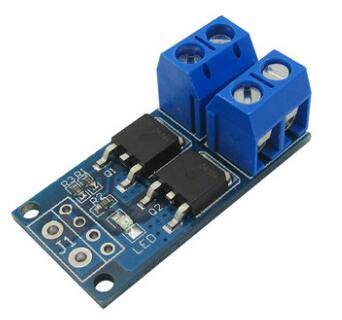
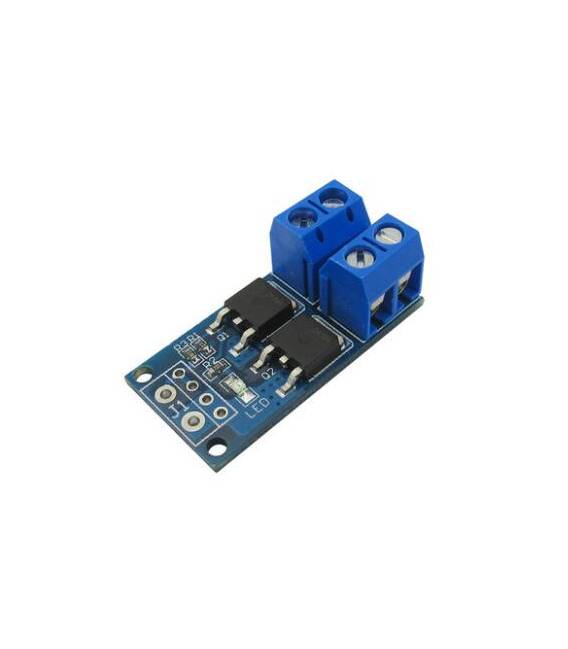
Description
What it is
The FET PWM switch control board is an electronic module that allows managing high currents through a PWM (Pulse Width Modulation) signal sent from a microcontroller like Arduino.
Features
- PWM Control
- High Power FET Switch
- Compatible with Arduino
- SKU: ARD0011460
- Price: 2.47 €
What it is for
This board is ideal for controlling high-power electronic switches used in applications such as lighting, electric motors, and servomechanisms. It can be used to create a PWM controllable lighting system by connecting a button to the FET control pin and adjusting the brightness through the PWM signal sent from Arduino.
Tutorial: How to Use the FET PWM Control Board
This board is ideal for controlling high-power electronic switches, used in applications such as lighting, electric motors, and servomechanisms. Suitable for both beginners and intermediate users.
What you need
- Arduino
- Power supply cable
- 1kΩ resistor
- Serial interface (PC or FTDI module)
Steps
- 1. Connect the power supply to the FET PWM.
- 2. Connect the Arduino to the FET PWM with the following cables:
- – VCC to the VCC of the FET
- – GND to the GND of the FET
- – D2 to the control pin of the FET
- 3. Set a 1kΩ resistor between the control pin and GND for protection.
- 4. Load the code onto the Arduino.
- 5. Check the PWM regulation through the serial interface.
- 6. Adjust the FET power supply voltage to match your project specifications.
- 7. Try controlling the switch with a button.
- 8. Check the datasheet for further details.
Mini project
Create a PWM lighting system controllable by a button. In 30 minutes, connect a button to D2 of Arduino, to the control pin of the FET, and control the brightness.
Common mistakes
- Do not verify proper power supply before use.
- Do not use a protection resistor.
- Connect the control pin directly to VCC or GND without resistance.
- Omit verification on the datasheet.
Recommended accessories
- Button
- Variable resistor
- 12V power cable
- LED bulb
Frequently asked questions
Does the PWM FET work with any type of power supply?
Check the datasheet for the maximum power supply voltage.
Can I use this PWM FET with Arduino Uno?
Yes, but make sure the power supply is compatible.
How can I adjust the PWM frequency?
Check the datasheet for the control pin configuration.
Can I connect multiple PWM FETs to a single Arduino?
Yes, but make sure the power supply is sufficient.



Reviews
There are no reviews yet.