 EN
 IT Italiano
 ES Español
 FR Français
 DE Deutsch
Description
What it is
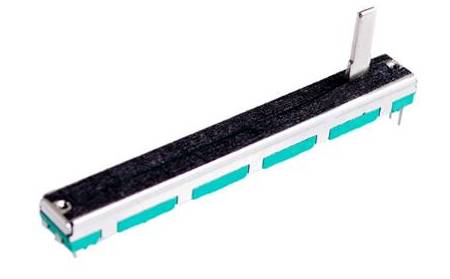
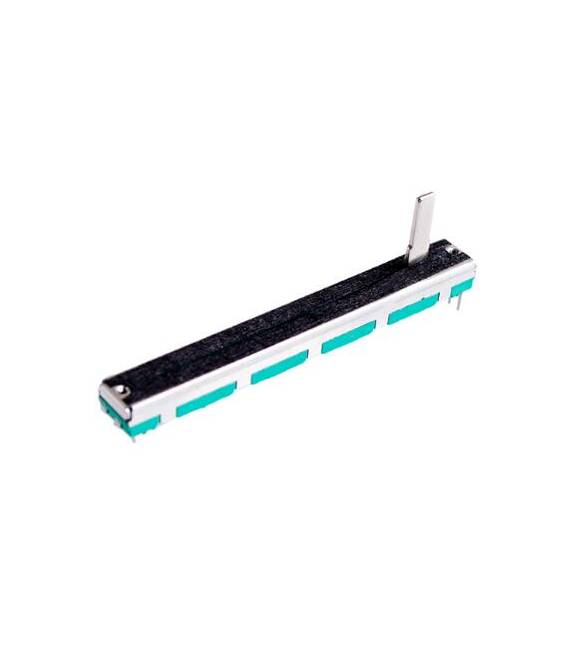
The B50K Linear Potentiometer Dual Channel is an electronic component that allows the adjustment of an analog electrical signal. This potentiometer has two independent channels, enabling the simultaneous control of two variables.
Features
- Type: Linear
- Channels: Dual
- Resistance Value: B50K (50kΩ)
- Mount Type: Right
What it is for
The B50K potentiometer is ideal for controlling analog variables in electronic projects, such as Arduino. It can be used to adjust audio volume, LED brightness, motor speed, or any other analog variable. Its dual channel configuration allows for the simultaneous control of two parameters, such as volume and bass/treble.
Tutorial: How to use B50K Linear Potentiometer Dual Channel
The B50K Dual Channel Slide Potentiometer is ideal for controlling analog variables, such as volume or brightness intensity, in Arduino projects. Suitable for beginners and intermediate users.
What you need
- B50K Potentiometer
- Arduino
- Power Cable
- Pull-up Resistor
- Multimeter (optional)
Steps
- 1. Installation: Mount the potentiometer on the circuit, ensuring that the slider moves freely.
- 2. Connection: Connect the potentiometer pins to pins A0 and GND of the Arduino.
- 3. Pull-up: Connect the third pin of the potentiometer to a digital pin of the Arduino via a pull-up resistor.
- 4. Sketch: Load the example sketch to read the analog value.
- 5. Testing: Check the specifications of the potentiometer on the datasheet.
- 6. Adjustment: Move the slider and observe the changes on the serial monitor.
- 7. Debugging: Use the multimeter to verify proper operation.
- Final Installation: Integrate the B50K potentiometer into your project.
Example code
```
int potVal;
void setup() {
  Serial.begin(9600);
}
void loop() {
  potVal = analogRead(A0);
  Serial.println(potVal);
}
```
Mini project
Create a volume control for a beeper using the B50K potentiometer and a beeper.
Common mistakes
- Connecting the potentiometer without a pull-up resistor may cause incorrect readings.
- Not verifying specifications on the datasheet may lead to functionality issues.
- Not testing the potentiometer with a multimeter may hide connection problems.
- Omitting the installation of the pull-up resistor may cause unreliable readings.
Recommended accessories
- Buzzers
- Pull-up resistors
- Multimeter
- Arduino Shield
Frequently asked questions
The potentiometer is not sliding smoothly, what can I do?
Check the mounting and pin connections. Ensure that the slider moves freely.
Which specifications should I check on the datasheet?
Check the nominal resistance and precision of the potentiometer.
The analog value does not change, what does this mean?
Check the connection and pull-up resistor. Also check the Arduino code.



Reviews
There are no reviews yet.