 EN
 IT Italiano
 ES Español
 FR Français
 DE Deutsch
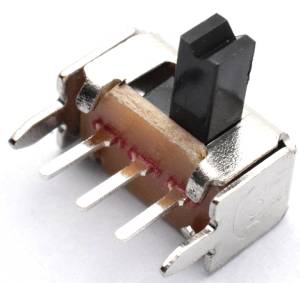
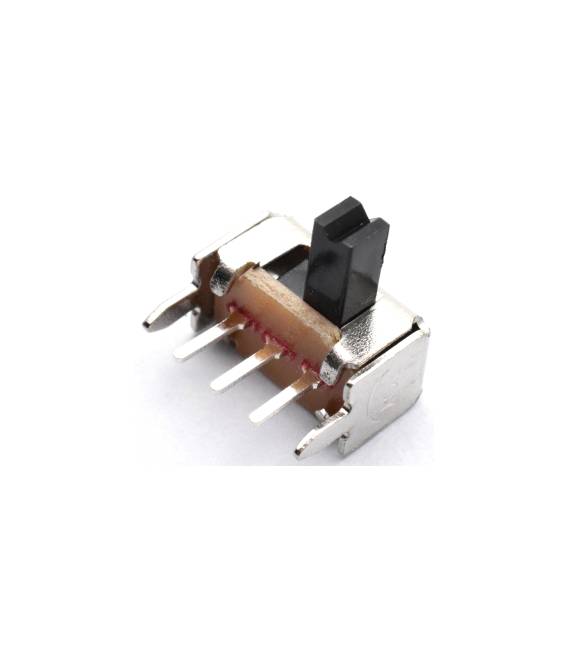
Description
What it is
The 20 pieces SK12D07 is a 2-position toggle switch with 5 poles. It is an electronic component that allows the interruption or restoration of the electric current flow in a circuit.
Features
- 20 pieces
- Type: SK12D07
- Poles: 5
- Positions: 2
- Actuation Type: Lever
- Curved: Yes
What it is for
This switch is ideal for manual control of electronic devices in 5-pole circuits. It can be used for example to turn on and off LEDs, motors or other components. Its compatibility with Arduino and other microcontrollers makes it a versatile component for automation and control projects.
Tutorial: How to use SK12D07 / 1P2T Toggle Switch
This toggle switch is ideal for controlling electronic devices in 5-pole circuits. Useful for manual control projects.
What you need
- SK12D07 / 1P2T Toggle Switch
- Arduino or compatible microcontroller
- Connector for 5 pins
- Resistor (optional)
Steps
- 1. Check the specifications on the datasheet.
- 2. Connect the 5-pole switch to the microcontroller.
- 3. Connect pins 1 and 2 to the microcontroller.
- 4. Connect pins 3 and 4 to the microcontroller.
- 5. Connect pin 5 (GND) to the GND of the microcontroller.
- 6. If necessary, add a resistor between pins 3 and 4.
- 7. Load the Arduino code.
- 8. Verify the operation.
Example code
void setup() { pinMode(2, INPUT); pinMode(3, INPUT);}void loop() { int state1 = digitalRead(2); int state2 = digitalRead(3); if (state1 == HIGH && state2 == LOW) { Serial.println("Posizione 1"); } else if (state1 == LOW && state2 == HIGH) { Serial.println("Posizione 2"); }}Mini project
Create a simple light control with the toggle switch. Connect an LED and a resistor between pin 3 and 5 (VCC) and check the state with the code.
Common mistakes
- Do not follow the specifications on the datasheet.
- Connect the switch without checking the pins.
- Omit the verification of the operation.
- Do not use a resistor when necessary.
Recommended accessories
- Arduino Uno
- LED
- Resistor
- Multimeter
Frequently asked questions
Can I use this switch with a microcontroller other than Arduino?
Yes, it is compatible with any 5-pole microcontroller.
Which pins should I use to control the switch?
Use pins 1 and 2 for position 1 and pins 3 and 4 for position 2.
How long does it take to mount the switch?
Mounting should take less than 10 minutes.
Can I use this switch to control a DC device?
Check the datasheet, as the switch is designed for DC current.



Reviews
There are no reviews yet.