 EN
 IT Italiano
 ES Español
 FR Français
 DE Deutsch
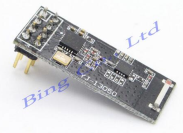
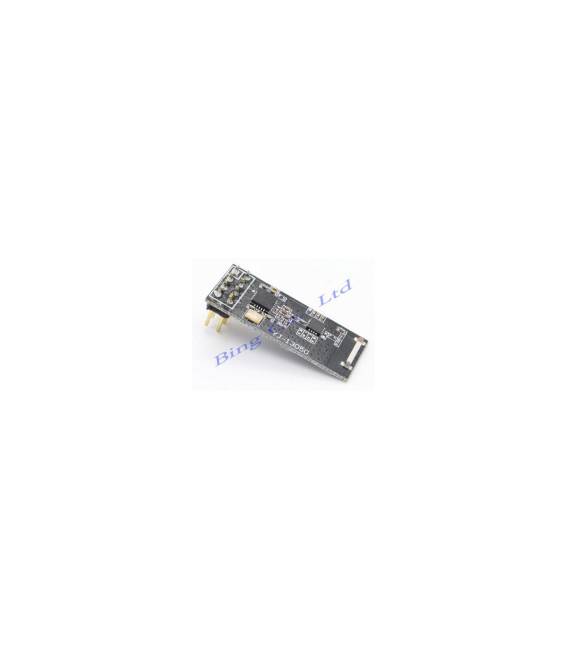
Description
What it is
DIP Data Transmitter for Long Range at 2.4GHz, nRF24L01 PA + LNA + 905/CC1101 is a module that allows long-range data transmission at 2.4 GHz. It integrates the nRF24L01 chip, power amplifier (PA) and low noise amplifier (LNA) for better efficiency and range.
Features
- Frequency: 2.4 GHz
- Chip: nRF24L01 PA + LNA + 905/CC1101
- Connectivity: DIP
- Price: 9.61 €
What it is for
This transmitter is ideal for Arduino and IoT projects that require long-range communication. It can be used to build remote control systems for drones, remote-controlled vehicles, remote sensors and similar projects. Compatibility with Arduino and ESP should be verified in the datasheet.
Tutorial: How to Use DIP 2.4GHz Transmitter
This 2.4GHz transmitter is ideal for projects that require long-range communication, perfect for beginners and intermediates.
What you need
- Arduino or Compatible
- Power cable
- Antenna
- nRF24L01 datasheet
Steps
- Check the datasheet for the nRF24L01 specifications.
- Connect the VCC and GND pins of the DIP to the 5V and GND of the Arduino.
- Connect the CE pin to the Arduino pin (AD0 for nRF24L01).
- Connect the CSN pin to the Arduino pin (AD1 for nRF24L01).
- Connect the antenna to the SCK pin.
- Load the provided Arduino code.
- Test the communication between a transmitter and a receiver.
- Verify the stability of the long-range communication.
Example code
```c
#include <SPI.h>
#include <nRF24L01.h>
#include <RF24.h>

RF24 radio(AD0, AD1);

void setup() {
  radio.begin();
  radio.openWritingPipe(0xF0F0F0F0E1L);
  radio.openReadingPipe(1, 0xF0F0F0F0D2L);
  radio.startListening();
}

void loop() {
  if (radio.available()) {
    // Leggi i dati ricevuti
  }
}
```
Mini project
Build a remote control system for a drone using this transmitter and a receiver.
Common mistakes
- Forget to connect the CE pin.
- Incorrect power supply.
- Antenna not connected.
- Incorrect Arduino code.
Recommended accessories
- Antenna for DIP nRF24L01
- Arduino Uno
- Power cable
- SPI interface cable
Frequently asked questions
How can I verify communication?
Use an nRF24L01 receiver and connect it to an Arduino to test communication.
Which specifications should I check in the datasheet?
Check the operating frequency and transmission power.
Can I use a power supply other than 5V?
Check the power supply specifications in the datasheet.
Which pins should I use for communication?
CE and CSN must be connected to digital pins on the Arduino.
Reviews
There are no reviews yet.