 EN
 IT Italiano
 ES Español
 FR Français
 DE Deutsch
Description
What it is
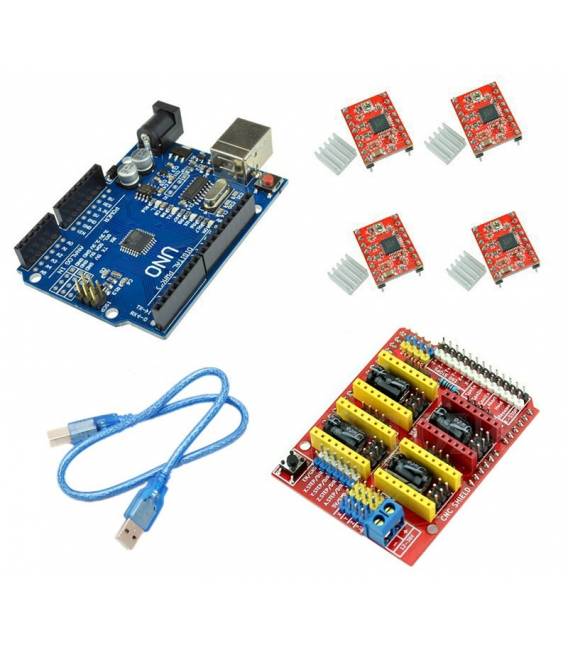
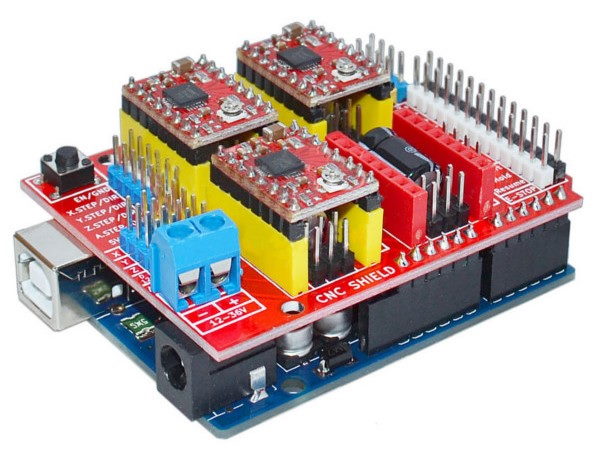
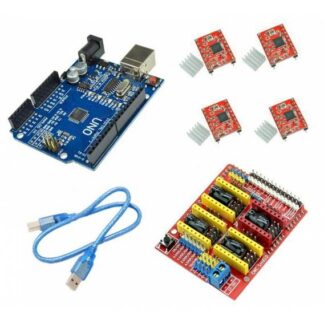
3D Printer H039 CNC Shield V3 + 4x A4988 + Arduino UNO R3 and USB Cable is a set of components for building a 3D printer.
Features
- 3D Printer H039
- CNC Shield V3
- 4x A4988
- Arduino UNO R3
- USB Cable
What it is for
This kit is designed for makers who want to build and program their own 3D printer. It contains all the necessary components to assemble a 3D printer. It can be used to print objects in plastic.
Tutorial: How to use 3D Printer H039 CNC Shield V3 Kit
This kit is ideal for beginners and intermediates who want to start with 3D printing. It contains all the necessary components to mount a 3D printer.
What you need
- 3D Printer H039 CNC Shield V3 Kit
- 4x A4988
- Arduino UNO R3
- USB Cable
Steps
- 1. Check that all components are present: CNC Shield V3, 4 A4988, Arduino UNO R3, USB Cable.
- 2. Mount the CNC Shield V3 on the Arduino UNO R3.
- 3. Connect the 4 A4988 to their respective pins on the CNC Shield V3.
- 4. Connect to the computer with the USB cable.
- 5. Install the Arduino IDE software.
- 6. Download the 3D printer example code from the GitHub repository.
- 7. Load the code onto the Arduino UNO R3.
- 8. Configure the 3D printer with the slicing software.
- 9. Start printing a simple prototype.
- 10. Check the datasheet for missing technical specifications.
Example code
void setup() { // Inizializza la stampante } void loop() { // Comandi per la stampa }Mini project
Print a 5x5x5mm cube in 30 minutes.
Common mistakes
- Connect the A4988 pins correctly.
- Verify that the slicing software is configured correctly.
- Make sure the Arduino IDE software is up to date.
- Check that the battery is charged.
Recommended accessories
- 3D printer filament
- Safety installation
- Workbench
- Protective gloves
Frequently asked questions
How can I verify that the A4988 pins are connected correctly?
Check the specifications on the datasheet and ensure that the VSS pins are connected to GND, VDD to 5V, and STEP, DIR, ENABLE to the correct pins of the CNC Shield V3.
What are the minimum requirements for the computer?
A computer with Windows 10 or macOS and at least 2GB of RAM.
Can I use a different Arduino UNO R3?
The kit is designed for the UNO R3, but it may work with similar versions. Check the specifications.
What are the dimensions of the cube to be printed?
The example cube has dimensions 5x5x5mm. Adjust the size based on your needs.
Reviews
There are no reviews yet.