 EN
 IT Italiano
 ES Español
 FR Français
 DE Deutsch
Description
What it is
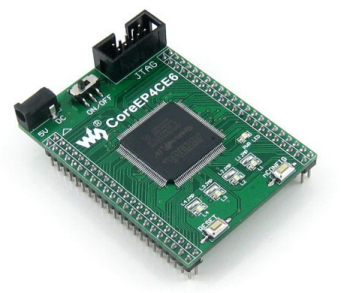
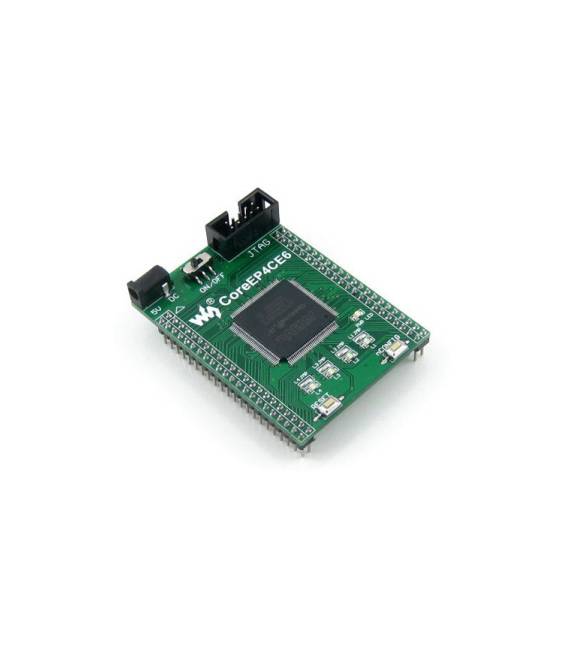
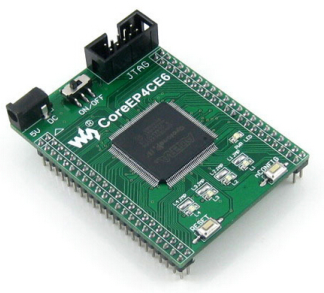
The CoreEP4CE6 development board is a platform for exploring and developing advanced projects based on the Altera Cyclone IV EP4CE6 FPGA. This device offers a complete I/O expansion and an integrated JTAG interface, making programming and debugging the FPGA easier.
Features
- Altera EP4CE6 FPGA Development Board
- Complete I/O Expansion
- Integrated JTAG Interface
What it is for
The Altera Cyclone IV FPGA on this board is ideal for advanced digital electronics, signal processing, and embedded systems projects. It can be used to create custom logic, manage external devices such as LEDs or sensors through I/O ports, and perform complex real-time calculations.
Tutorial: How to Use CoreEP4CE6
The CoreEP4CE6 development board allows you to explore the potential of the Cyclone IV FPGA, ideal for advanced digital electronics projects.
What you need
- CoreEP4CE6 Development Board
- PC with Windows 10 or Linux operating system
- Quartus Prime development software
- JTAG cable
- 10kΩ resistor
Steps
- 1. Download and install the Quartus Prime development software.
- 2. Connect the CoreEP4CE6 board to the PC via JTAG.
- 3. Check the datasheet for the I/O port configuration.
- 4. Create a new project in Quartus Prime.
- 5. Download and install the JTAG driver.
- 6. Configure JTAG in the software.
- 7. Verify JTAG connectivity.
- 8. Load a simple example sketch on the Arduino IDE.
Example code
void setup() {
  pinMode(13, OUTPUT);
}

void loop() {
  digitalWrite(13, HIGH);
  delay(1000);
  digitalWrite(13, LOW);
  delay(1000);
}
Mini project
Create an on/off signal on an LED connected to an I/O port.
Common mistakes
- Incorrectly configure the JTAG.
- Forget to install the JTAG driver.
- Connect the board incorrectly.
- Fail to verify JTAG connectivity before loading the code.
Recommended accessories
- LED
- 1kΩ Resistor
- Multimeter
- JTAG Cable
Frequently asked questions
How can I verify JTAG connectivity?
Run a JTAG test in the Quartus Prime software.
Which JTAG drivers do I need to install?
Follow the development software Quartus Prime instructions.
Can I use this board with an Arduino?
Yes, but it is designed for FPGA.
What software do I need to use for developing projects?
Quartus Prime.
Reviews
There are no reviews yet.