 EN
 IT Italiano
 ES Español
 FR Français
 DE Deutsch
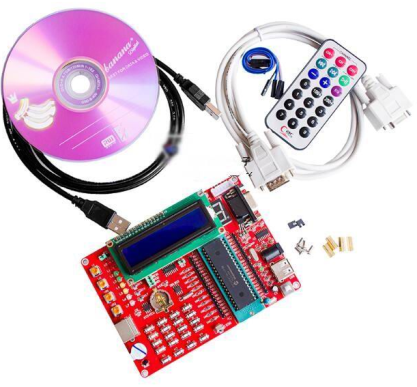
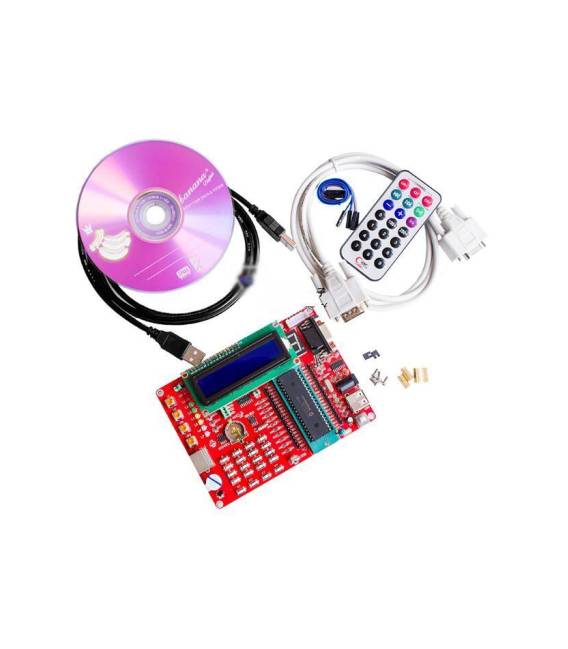
Description
What it is
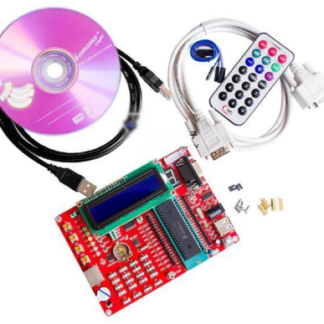
The PIC16F877A Development Board is a device designed to facilitate the development and testing of programs intended for the PIC16F877A microcontroller. This type of board offers a complete platform with connectors and integrated circuits necessary to run programs directly on the microcontroller.
Features
- Microcontroller PIC16F877A
- Ideally suited for makers and electronics designers
What it is for
The board is used to develop and test microcontroller programs. It is useful for both beginner and intermediate programmers, allowing them to perform simple experiments such as creating an output signal on a digital pin with an LED.
Tutorial: How to Use the PIC16F877A Development Board
This board allows you to develop and test your PIC16F877A microcontroller programs. Useful for beginner and intermediate programmers.
What you need
- PC with Windows or Linux operating system
- USB A-B Cable
- Development Software (e.g., MPLAB X IDE)
Steps
- 1. Connect the board to the USB port of the PC.
- 2. Install the development software (MPLAB X IDE) on the PC.
- 3. Download and install the USB driver for the board.
- 4. Create a new project in MPLAB X IDE.
- 5. Select the PIC16F877A board as the target.
- 6. Write your first C program.
- 7. Compile the program.
- 8. Load the code onto the microcontroller.
Example code
```
#include <pic16f877a.h>

void main() {
    TRISB = 0;
    PORTB = 1;
    while(1);
}
```
Mini project
Create a simple output signal on a digital pin with an LED.
Common mistakes
- Unable to load code: check the USB connection.
- Driver installation issues: check the datasheet.
- Compilation error: check the syntax of the code.
- Execution issues: verify the register configuration.
Recommended accessories
- LED
- 220Ω Resistor
- Multimeter
- Test lead
Frequently asked questions
Can I use this board with Arduino IDE?
No, the software only supports MPLAB X IDE.
Which version of MPLAB X IDE should I use?
Use MPLAB X IDE version 5.40 or later.
How long does it take to upload the code?
The upload process can take about 10-15 seconds.
Do I need a circuit design software?
No, you can draw your schematics with a standard design software.
Reviews
There are no reviews yet.