 EN
 IT Italiano
 ES Español
 FR Français
 DE Deutsch
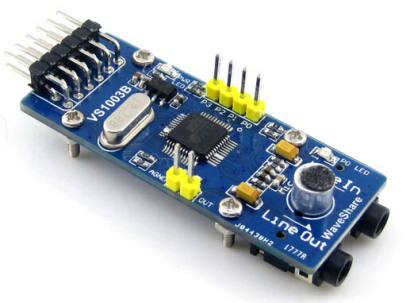
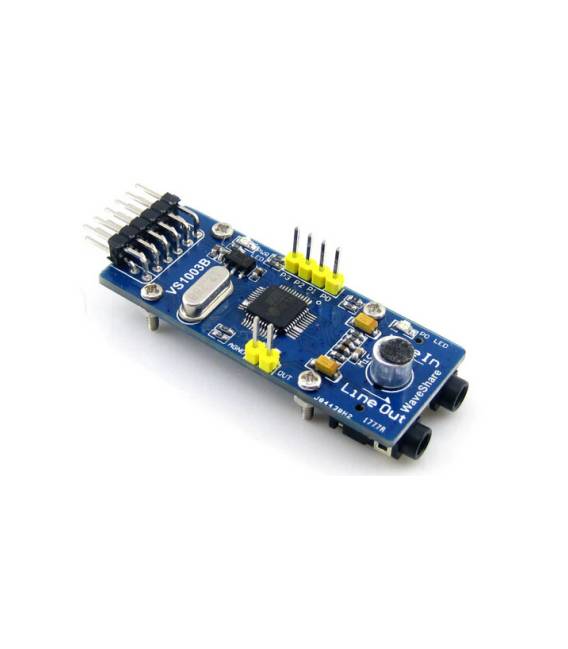
Description
What it is
The VS1003B board is a development module for audio encoding and decoding, ideal for projects requiring the playback of MP3, WMA, and WAV files. This module offers advanced audio processing capabilities.
Features
- Board based on the VS1003B chip
- Ability to encode and decode audio WAV, WMA, and MP3
What it is for
VS1003B modules are useful for projects that require audio file playback. They are ideal for both beginners and intermediate developers. Compatibility with Arduino and other microcontrollers makes this board very versatile.
Tutorial: How to use VS1003B
The VS1003B is a development module for audio processing, ideal for projects requiring the playback of MP3, WMA, and WAV files. Useful for beginners and intermediates.
What you need
- VS1003B
- Arduino
- LCD Display (optional)
- Microphone (optional)
Steps
- 1. Download the VS1003B USB driver from the official website.
- 2. Connect the VS1003B to your Arduino using the specified pins.
- 3. Load the provided Sketch code.
- 4. Try to load an MP3 file.
- 5. Add an LCD display to show information.
- 6. Connect a microphone for audio input.
- 7. Test the audio playback functionality.
- 8. Check the datasheet for further details.
Example code
```cpp
#include <VS1003.h>

VS1003 vs1003;

void setup() {
  vs1003.begin();
}

void loop() {
  vs1003.playFile("file.mp3");
}
```
Mini project
Create a small audio system that plays an MP3 file when connected to an Arduino.
Common mistakes
- Do not connect the pins correctly.
- Download the wrong USB driver.
- Use an unsupported audio file.
- Omit checking the datasheet.
Recommended accessories
- 16×2 LCD Display
- Microphone for Arduino
- 5V Power Supply
- USB Cable for Arduino
Frequently asked questions
How can I test the audio playback functionality?
Load an MP3 file onto an SD card and try to play it with the Sketch code.
Which audio files are supported?
MP3, WMA and WAV.
Can I use another USB driver?
Check the datasheet for compatible drivers.
Reviews
There are no reviews yet.