 EN
 IT Italiano
 ES Español
 FR Français
 DE Deutsch
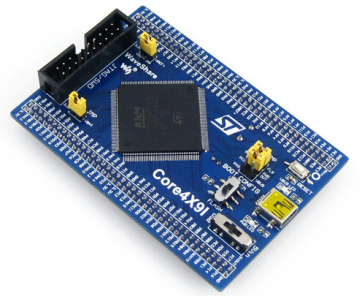
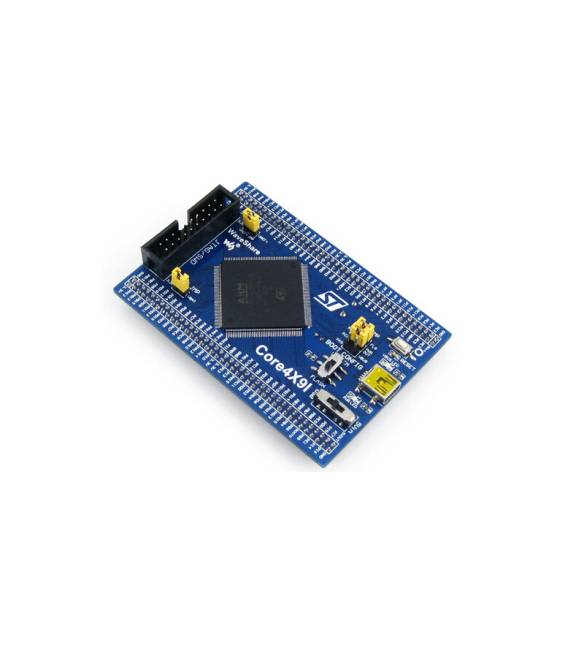
Description
What it is
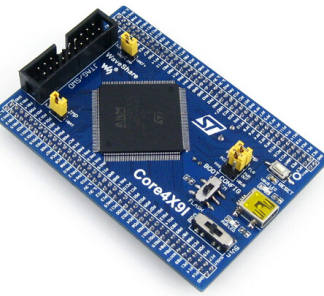
The STM32 Core429I STM32F429IGT6 STM32F429 development board is a platform for developing and evaluating electronic projects based on the STM32F429IGT6 microcontroller.
Features
- Microcontroller: STM32F429IGT6
- Product Name: STM32 Core429I
- SKU: ARD009321
- Price: 36.65 €
What it is for
The STM32 Core429I board is ideal for electronic developers who need a powerful microcontroller for their projects. It can be used for testing, evaluation, and development of applications that require high performance. Typical use cases include creating button counter circuits, interfacing with sensors and actuators, and implementing control circuits.
Tutorial: How to use the STM32 Core429I Development Board
This STM32 Core429I board is ideal for electronic developers who require a powerful microcontroller for their projects. It is perfect for those who want to explore the limits of the STM32F429IGT6 microcontroller.
What you need
- Arduino IDE
- USB cable
- 10kΩ resistor
- LED
- LiPo battery 3.7V (optional)
Steps
- 1. Download and install the Arduino IDE.
- 2. Connect the board to your computer with the USB cable.
- 3. Check the datasheet for the microcontroller specifications.
- 4. Create a new project in Arduino IDE.
- 5. Copy and paste the following code:
- 6. `void setup() {`
- 7. ` pinMode(LED_BUILTIN, OUTPUT);`
- 8. `}`
- 9. `void loop() {`
- 10. ` digitalWrite(LED_BUILTIN, HIGH);`
- 11. ` delay(1000);`
- 12. ` digitalWrite(LED_BUILTIN, LOW);`
- 13. ` delay(1000);`
- 14. `}“
- 15. Load the code onto the microcontroller.
- 16. Connect an LED to the output pin and verify that it blinks at 1 Hz.
Example code
``void setup() { pinMode(LED_BUILTIN, OUTPUT); }void loop() { digitalWrite(LED_BUILTIN, HIGH); delay(1000); digitalWrite(LED_BUILTIN, LOW); delay(1000);} ``Mini project
Create a simple button counter. Connect a button to the input pin and an LED to the output pin to display the number of presses.
Common mistakes
- Forget to install the Arduino IDE.
- Connect the microcontroller to the computer with an incompatible USB cable.
- Swap the input and output pins.
- Forget to check the datasheet for the microcontroller specifications.
Recommended accessories
- Push button
- Pull-up resistor
- LiPo Battery 3.7V
- LCD Display
Frequently asked questions
How can I verify the specifications of the microcontroller?
Check the datasheet of the STM32F429IGT6 microcontroller.
Which pins can I use to connect a button?
Use the digital input pins, such as D3, D5, D6, etc.
Can I use this board with other microcontrollers?
This board is specifically designed for the STM32F429IGT6 microcontroller.
Reviews
There are no reviews yet.