 EN
 IT Italiano
 ES Español
 FR Français
 DE Deutsch
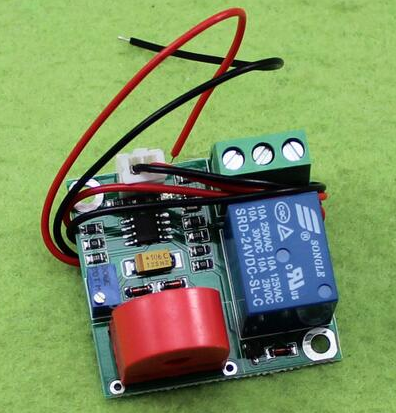
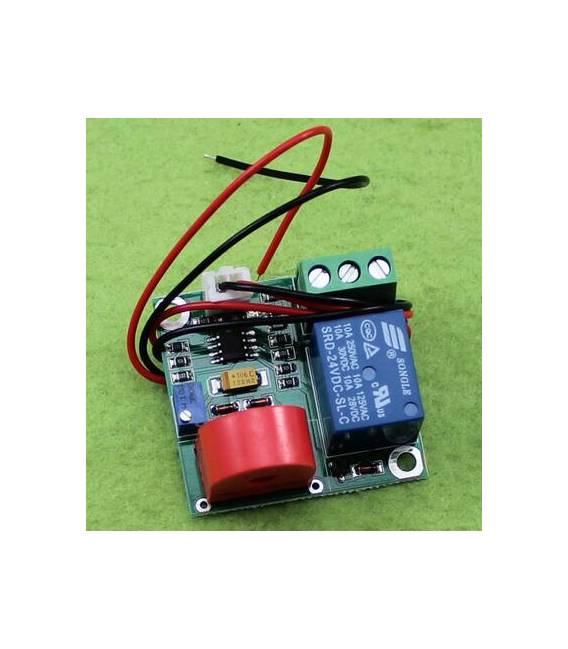
Description
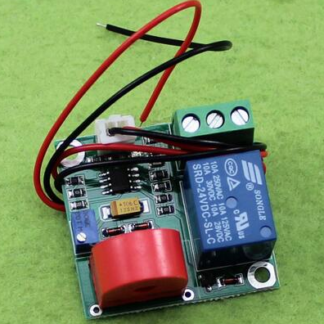
Tutorial: How to Use the AC Current Sensor Module 24V 0-5A
This sensor measures AC currents up to 5A using a pulse output. Useful for electrical monitoring projects.
What you need
- AC Current Sensor Module 24V 0-5A
- Arduino or compatible microcontroller
- 24V power supply cable
- Multimeter (optional)
Steps
- 1. Check that the sensor works with a multimeter (optional).
- 2. Mount the alligator clip on the cable to be monitored.
- 3. Connect the alligator clip to the VCC pin of the sensor (24V).
- 4. Connect the GND pin of the sensor to the GND of your circuit.
- 5. Connect the OUTPUT pin of the sensor to a digital pin of your microcontroller.
- 6. Load the provided Arduino code.
- 7. Verify correct operation with a serial monitor.
- 8. Test the sensor with different levels of AC current.
Example code
```void setup() { Serial.begin(9600);}void loop() { int current = analogRead(A0); Serial.println(current); delay(1000);}Mini project
Create an AC current monitor with Arduino. Connect the sensor to pin A0 and display the values on a serial monitor.
Common mistakes
- Do not use a power supply other than 24V.
- Ensure the alligator clip is properly positioned on the cable.
- Check that the OUTPUT pin of the sensor is correctly connected to the microcontroller.
- Verify that the sensor does not exceed the maximum current of 5A.
Recommended accessories
- 24V alligator clip
- 24V power supply
- Arduino Uno
- Serial monitor
Frequently asked questions
Does the sensor work with AC currents below 24V?
Yes, it works with any AC current up to 24V.
Can I use a power supply other than 24V?
No, the power supply must be 24V.
Can the sensor measure DC currents?
No, it only works with AC currents.
Reviews
There are no reviews yet.