 EN
 IT Italiano
 ES Español
 FR Français
 DE Deutsch
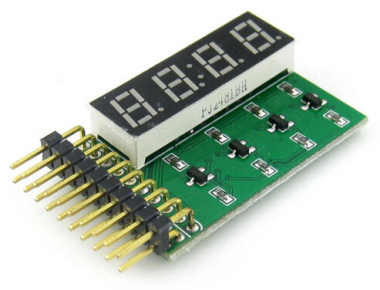
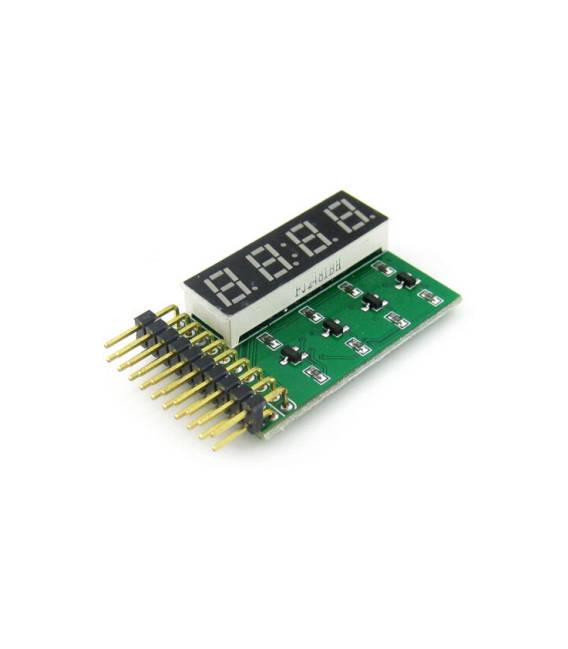
Description
What it is
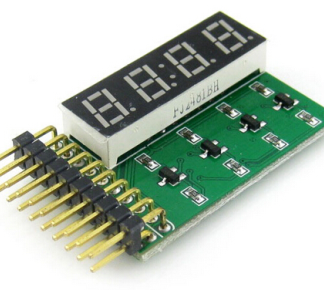
The 8 SEG Digital Tube Display 4-Digit LED Display Module is an electronic module that allows displaying numbers on a 4-digit display made up of LED segments.
Features
- 4-digit display
- 8 LED segments per digit
- SKU: ARD009366
- Price: 10.26 €
What it is for
The board is ideal for displaying numbers and letters on a 4-digit display. It can be used in Arduino projects for displaying information such as timers, counters, measured values from sensors, etc.
Tutorial: How to use 8 SEG LED Display Board
The 8 SEG LED Display Board is ideal for displaying numbers and letters on a 4-digit display. Useful for Arduino and beginner maker projects.
What you need
- Arduino or compatible
- Power cable
- 220 ohm resistor
- Check the datasheet
Steps
- 1. Connect power to the display (VCC to 5V, GND to GND).
- 2. Connect the resistor between VCC and Arduino pin D4.
- 3. Connect the display to GND of the Arduino.
- 4. Upload the code to Arduino.
- 5. Check the numbers displayed.
- 6. Replace D4 with another pin if necessary.
- 7. Add code to display letters.
- 8. Check current and power supply.
Example code
```
void setup() {
  pinMode(4, OUTPUT);
}

void loop() {
  digitalWrite(4, HIGH);
  delay(1000);
  digitalWrite(4, LOW);
  delay(1000);
}
```
Mini project
Create a simple timer by displaying seconds passed on a 4-digit display.
Common mistakes
- Forget to add a resistor (always use one with 220 ohm).
- Connect VCC to 3.3V instead of 5V.
- Forget to ground the display.
- Use an incorrect pin for the display.
Recommended accessories
- 4-digit 8-segment LED display
- 220 ohm resistor
- Arduino Uno
- Power cable
Frequently asked questions
The display doesn’t turn on?
Check the correct connection of VCC and GND, and the use of the resistor.
How can I display letters?
Use predefined display codes for letters (check the datasheet).
What is the maximum current?
Check the datasheet.
Can you use an Arduino Nano?
Yes, but it might require a different pin, check the datasheet.
Reviews
There are no reviews yet.