 EN
 IT Italiano
 ES Español
 FR Français
 DE Deutsch
Description
What it is
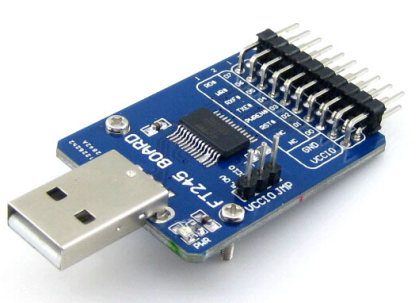
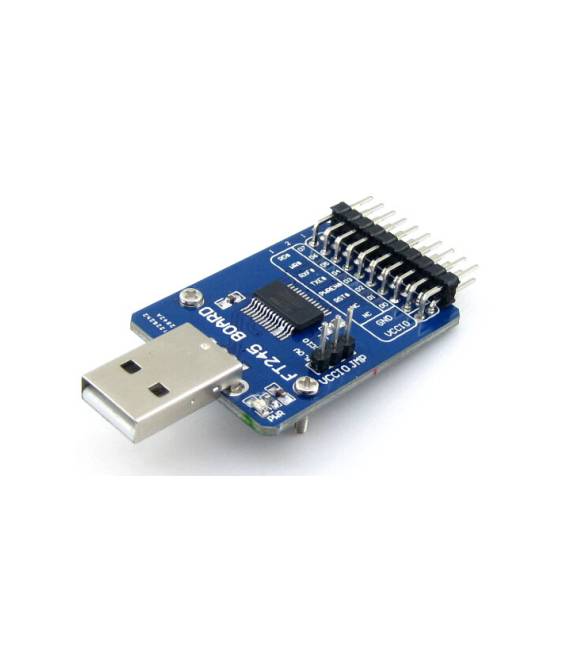
The FTIF USB FIFO FT245 (Type A) board is an evaluation module that allows data transfer between a computer and a parallel device via USB interface. It uses the FT245RL chip to manage communication.
Features
- USB Type A connector
- FT245RL chip
- Blue color
What it is for
The board is useful for integrating USB connectivity features into electronic projects. For example, it can be used to create a push-button counter with a parallel LED display. It is compatible with Arduino and other microcontrollers.
Tutorial: How to use FTIF USB FIFO FT245 (Type A) board
The FTIF USB FIFO FT245 (Type A) board is ideal for fast and secure data transfer between a computer and a parallel device. It is useful for beginners and intermediates who want to integrate USB connectivity features into their projects.
What you need
- PC with supported operating system
- Arduino IDE
- USB cable
- Compatible parallel device
Steps
- 1. Install the Arduino IDE.
- 2. Connect the FT245 board to a USB port on the PC.
- 3. Install the required USB driver (check the datasheet).
- 4. Connect the parallel device to the pinout of the board (check the datasheet).
- 5. Configure the Arduino code to send data to the parallel device.
- 6. Upload the code to Arduino.
- 7. Verify correct operation with a simple sketch.
- 8. Debug any issues.
Example code
void loop() {
  digitalWrite(D13, HIGH);
  delay(1000);
  digitalWrite(D13, LOW);
  delay(1000);
}
Mini project
Create a simple button counter with a parallel LED display.
Common mistakes
- Fail to install the correct USB drivers.
- Connect the parallel device to the wrong pin.
- Write incorrect Arduino code.
- Forget to upload the code to Arduino.
Recommended accessories
- Parallel LED display
- Button
- Pull-up resistor
- Connection cables
Frequently asked questions
How to install the USB drivers?
Follow the instructions provided by the manufacturer or download the drivers from the FTDI website.
What are the default pinouts?
Check the datasheet for the default pinouts.
Can I use any parallel device?
Ensure that the parallel device is compatible with the FT245 board (check the datasheet).
Is the Arduino code unique for each project?
No, the Arduino code can be customized based on the project requirements.
Reviews
There are no reviews yet.