 EN
 IT Italiano
 ES Español
 FR Français
 DE Deutsch
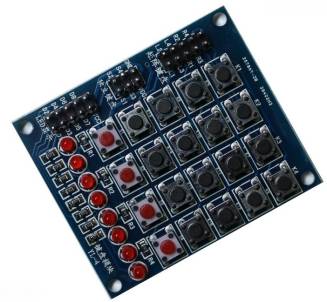
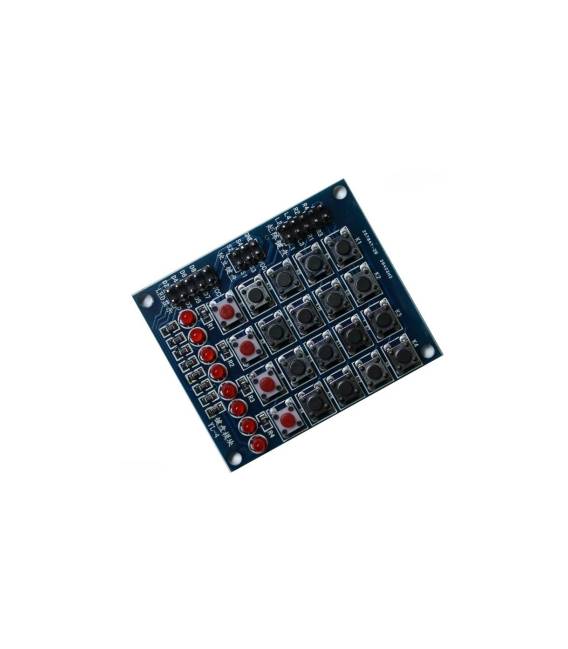
Description
What it is
The 4×4 Matrix Keypad with 8 LEDs is an electronic component that allows for the creation of a simple user interface with physical buttons and illuminated indicators.
Features
- Dimensions: check the datasheet
- Keys: 4×4 (16 keys)
- LEDs: 8
- Connectivity: check the datasheet
What it is for
This keypad is ideal for Smart Car projects, allowing vehicle functions to be controlled through physical buttons. It can also be used to create simple selection menus and display chosen options through the LEDs. Its simplicity makes it suitable for both beginners and intermediate users.
Tutorial: How to Use 4×4 Matrix Keypad with 8 LEDs
This 4×4 matrix keypad with 8 LEDs is perfect for user interface and display projects on Smart Cars. Useful for beginners and intermediates.
What you need
- Arduino or compatible
- 16-pin connections
- Resistors (check the datasheet)
Steps
- 1. Connect pins A1-A4 and B1-B4 of the keypad to pins 2-5 of your Arduino.
- 2. Connect pins C1-C4 of the keypad to pins 8-11 of your Arduino.
- 3. Connect GND of the keypad to GND of your Arduino.
- 4. Connect VCC of the keypad to 5V of your Arduino.
- 5. Connect the 8 LED pins to pins 13-16 and 20-23 of your Arduino.
- 6. Connect GND LED to GND of your Arduino.
- 7. Load the example code onto your Arduino.
- 8. Check the availability of the keys and LEDs.
Example code
void loop() { for (int i = 2; i <= 5; i++) { for (int j = 8; j <= 11; j++) { digitalWrite(j, HIGH); for (int k = 13; k <= 23; k++) { digitalWrite(k, LOW); } delay(10); for (int k = 13; k <= 23; k++) { digitalWrite(k, HIGH); } delay(10); } digitalWrite(j, LOW); }}Mini project
Create a simple selection menu with the 4×4 keys and display the choice with the 8 LEDs.
Common mistakes
- Connect GND to GND and VCC to 5V.
- Verify that the LED pins are correctly connected.
- Check that the keypad pins are correctly connected.
- Use resistors to protect the LEDs if necessary.
Recommended accessories
- 16×2 LCD Display
- Push Buttons
- Motion Sensors
Frequently asked questions
How can I check if a key is pressed?
Use the digitalRead() function to check the state of the pins.
Can I use this keypad with a microcontroller different from Arduino?
Yes, but check the pin and voltage compatibility.
Why is it important to connect resistors to LEDs?
To protect the microcontroller from electrical overloads.



Reviews
There are no reviews yet.