 EN
 IT Italiano
 ES Español
 FR Français
 DE Deutsch
Description
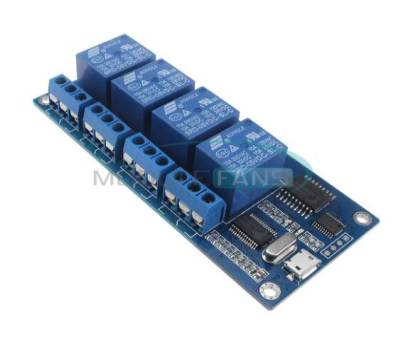
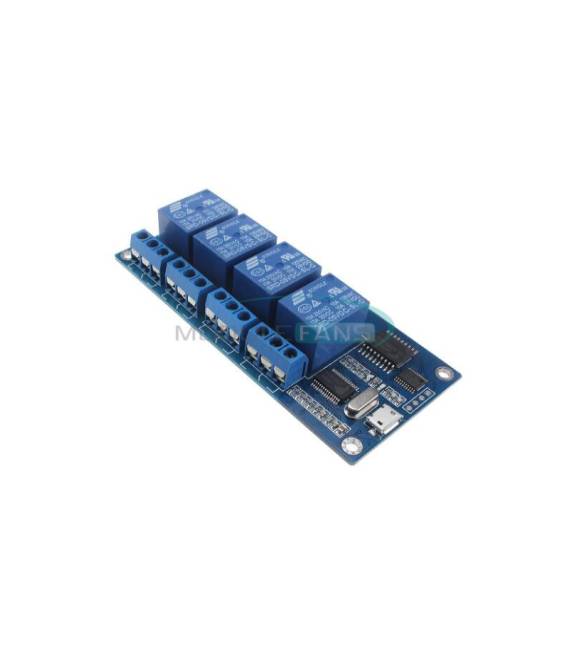
What is the 4-channel relay module? This relay module operates at 5V and can handle currents up to 10A per channel. It connects via Micro USB. Features: 4 relay channels, 5V power supply, maximum current per channel: 10A, connection through Micro USB. Use: Ideal for controlling high-power electrical devices from a microcontroller like Arduino. Suitable for home or industrial automation projects, such as regulating lights, appliances, or motors. Tutorial: How to use the 4 Channel 5V 10A Relay Module with Micro USB This relay module is perfect for controlling electrical devices from an Arduino microcontroller. It’s great for home or industrial automation projects, like switching lights or electric appliances on and off. What you need: Arduino Uno or compatible, Micro USB cable, external power supply (check datasheet), connection cables Steps: Connect the relay module to your PC via Micro USB Power the relay module with an external power supply (check datasheet) Connect the Arduino to the relay module using connecting cables Load the Arduino sketch onto the microcontroller Check that the relays activate correctly Example code void setup() { pinMode(2, OUTPUT); digitalWrite(2, HIGH); } void loop() { // Not necessary for this example } Mini-project: Light automation – connect the relay module to an electric lamp and use Arduino to turn it on or off based on a motion sensor signal. Common mistakes: Do not power the relay module with the same supply as your Arduino Do not connect relays to devices larger than their capacity Do not use the module without a microcontroller Do not neglect checking cable connections Recommended accessories: External 5V power supply, PIR motion sensor, connection cables Arduino Uno Frequently asked questions How can I control more relays? You can connect multiple relay modules or use a multi-channel relay module. What is the operating voltage? The operating voltage is 5V. How much current can each relay handle? Each relay can handle up to 10A.



Reviews
There are no reviews yet.