 EN
 IT Italiano
 ES Español
 FR Français
 DE Deutsch
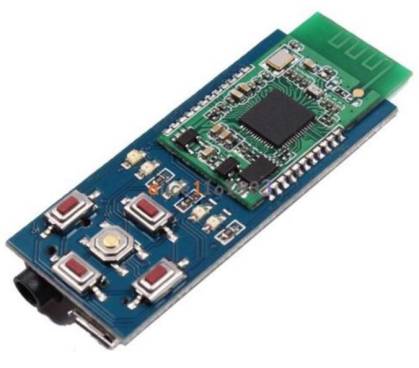
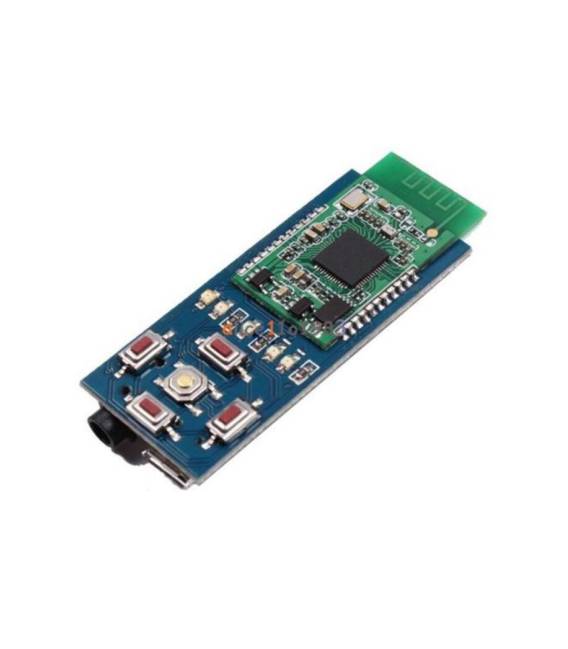
Description
What it is
The XS3868 stereo Bluetooth audio module is an electronic component that allows you to add wireless audio functionality to your Arduino projects. It integrates a Bluetooth module with A2DP and AVRCP support, enabling wireless transmission and reception of audio.
Features
- A2DP support for stereo audio streaming
- AVRCP support for remote control via Bluetooth devices
- Wireless Bluetooth connection
- Integrated Bluetooth shield module
- Compatibility with Arduino (check the datasheet)
What it is for
The XS3868 stereo Bluetooth audio module is ideal for creating custom audio systems, wireless speakers, voice control devices, and any project that requires wireless audio transmission. It can be used with Arduino and other compatible microcontrollers (check the datasheet).
Tutorial: How to use XS3868 Stereo Bluetooth Audio Module
The XS3868 Bluetooth stereo audio module is ideal for makers who want to integrate wireless audio transmission into their projects. With A2DP and AVRCP support, it is perfect for anyone looking to build a wireless audio system or a voice control device.
What you need
- Arduino Uno or compatible
- Breadboard connections
- PC with Arduino IDE installed
- Bluetooth configuration software (optional)
Steps
- Connect the XS3868 Bluetooth module to the Arduino using the breadboard connections.
- Configure the Arduino serial interfaces to communicate with the Bluetooth module.
- Use the Bluetooth configuration software to set the device name and transmission settings.
- Write an Arduino sketch to manage the Bluetooth connection and audio transmission.
- Test the connection with a compatible Bluetooth device.
- Verify that the module correctly receives and transmits audio in stereo mode.
- Configure any additional features such as voice control or audio file playback.
- Document the project and share the results with the maker community.
Example code
void setup() {
  Serial.begin(9600);
  // Inizializza il modulo Bluetooth
}

void loop() {
  // Gestisci la connessione Bluetooth e l'audio
}
Mini project
Build a wireless speaker system using the XS3868 Bluetooth module and a pair of active speakers. The project takes about 30 minutes to configure and test.
Common mistakes
- Set the serial address of the Bluetooth module incorrectly.
- Fail to properly configure the module for A2DP mode.
- Use unstable test connections.
- Fail to adequately test audio transmission before documenting the project.
Recommended accessories
- Active speakers
- Test connections
- Bluetooth configuration software
- Microphone for voice control
Frequently asked questions
Does the module support audio file playback?
Check the datasheet to confirm the file audio playback function.
How can I configure the module for voice control?
Check the datasheet for voice control configuration instructions.
Is the module compatible with other microcontrollers besides Arduino?
Check the datasheet for compatibility with other microcontrollers.



Reviews
There are no reviews yet.