 EN
 IT Italiano
 ES Español
 FR Français
 DE Deutsch
Description
What it is
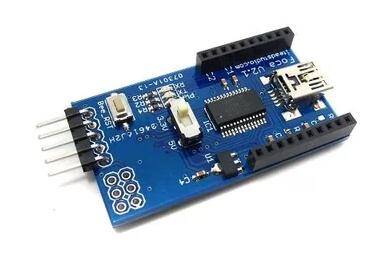
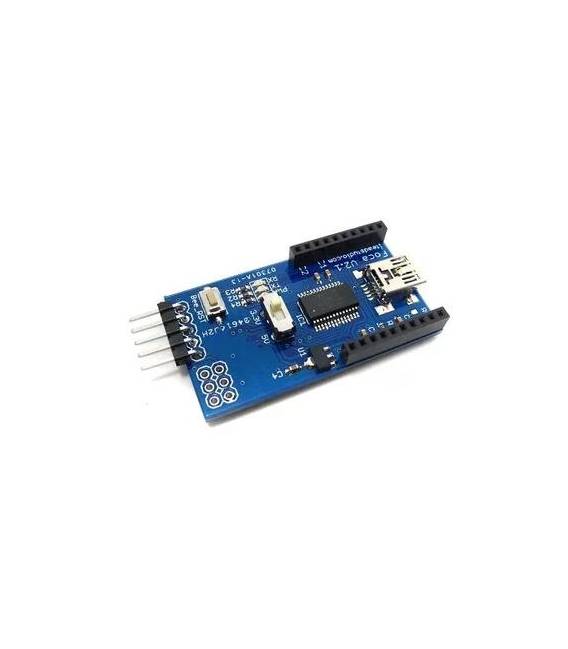
The Foca Board is a USB to TTL UART converter. It allows serial communication between a computer and electronic devices such as Arduino or microcontrollers.
Features
- USB to TTL UART Conversion
- SKU: ARD0011266
- Price: 10.38 €
- Category: Pre-order
What it is for
The Foca Board is useful for developing and testing electronic projects. It enables sending commands and receiving data from Arduino devices via software like PuTTy. Examples of use: create a remote control device with a button connected to a digital pin on the Arduino or send commands from a computer to an Arduino device to control its behavior.
Tutorial: How to Use USB to TTL UART Converter Foca Board
The Foca Board is a USB to TTL UART converter used for serial communication between a computer and Arduino or other microcontrollers. It is ideal for beginners in microcontroller programming who want an easy-to-use serial connector.
What you need
- Computer with USB port
- Arduino or microcontroller
- USB A to micro USB cable
- Arduino programming software
Steps
- Connect the Foca Board to the USB port of the computer
- Check that the Foca Board power LED lights up
- Connect the serial cable from the Foca Board to the microcontroller
- Open the Arduino programming software
- Select the correct serial port in the menu ‘Tools’ -> ‘Serial Port’
- Check the microcontroller datasheet to set the serial transmission speed
- Load an example sketch like ‘Serial Monitor’ in Arduino
- Check serial communication through the Arduino Serial Monitor window
Example code
void setup() {
  Serial.begin(9600);
}

void loop() {
  if (Serial.available() > 0) {
    char inByte = Serial.read();
    Serial.print("You entered ");
    Serial.println(inByte);
  }
}
Mini project
Create a simple remote control device with a button connected to a digital pin on the Arduino. Use the Foca Board to send commands from the computer to the Arduino via the serial port.
Common mistakes
- Unable to find the correct serial port
- Set an incorrect serial baud rate
- Incorrectly connect the serial cable
- Fail to upload the correct example sketch
Recommended accessories
- Serial cable
- Arduino Uno
- ESP32 Microcontroller
- 3D Printing for Custom Projects
Frequently asked questions
What is the default serial baud rate?
Check the microcontroller datasheet.
Can I use the Foca Board with other microcontrollers?
Yes, but check the microcontroller datasheet for serial communication specifications.
How can I check if the Foca Board is working correctly?
Check that the power LED is on and verify the serial communication through the Serial Monitor window.



Reviews
There are no reviews yet.