 EN
 IT Italiano
 ES Español
 FR Français
 DE Deutsch
Description
What it is
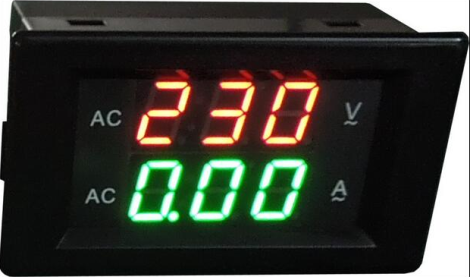
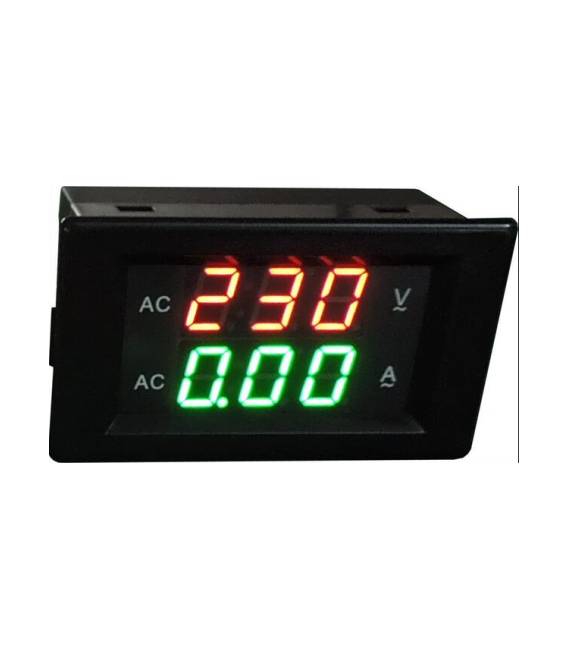
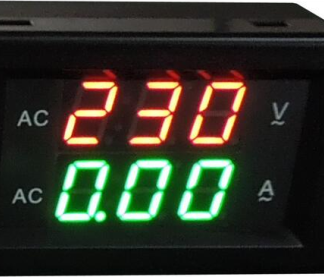
The YB4835VA is a digital voltmeter and ammeter with a green and red LED display that allows you to monitor both voltage and current simultaneously in an electronic circuit.
Features
- Maximum voltage measured: 300V
- Maximum current measured: 200A
- Display: Dual green and red LED
What it is for
The YB4835VA is useful for measuring the voltage of a battery and displaying the value on a display. It can be used in electronic projects to monitor the proper functioning of circuits, batteries, and power supplies. Its ease of use makes it suitable for both beginner makers and more experienced users.
Tutorial: How to Use Digital Voltmeter and Ammeter YB4835VA
This component measures voltage and current for your electronic circuit. Useful for beginner and intermediate makers.
What you need
- Digital Voltmeter and Ammeter YB4835VA
- Arduino or microcontroller
- Power supply cable
- Protection resistor (optional)
Steps
- 1. Check the datasheet for your circuit specifications.
- 2. Connect VCC to the microcontroller.
- 3. Connect GND to the GND of the microcontroller.
- 4. Connect pin A0 to the input pin of the voltmeter.
- 5. Connect the output pin of the voltmeter to the output pin of the microcontroller.
- 6. Check the datasheet for the maximum current.
- 7. Add a protection resistor if necessary.
- 8. Load the Arduino code.
Example code
void loop() { Serial.println(analogRead(A0));}Mini project
Measure the battery voltage and display the value on the LCD.
Common mistakes
- Connect VCC to a power supply above 300V.
- Omit resistor protection.
- Connect the voltmeter directly to a high current.
- Negligence in reading the datasheet.
Recommended accessories
- Arduino Uno
- 10kΩ protection resistor
- 12V battery
- 16×2 LCD display
Frequently asked questions
How can I check the battery voltage?
Connect the battery to the voltmeter and read the value on it.
Can I use this component with a different microcontroller?
Yes, but check the compatibility in the datasheet.
Is the protection resistor necessary?
If the datasheet specifies a maximum current, it is recommended to use it.
Reviews
There are no reviews yet.