 EN
 IT Italiano
 ES Español
 FR Français
 DE Deutsch
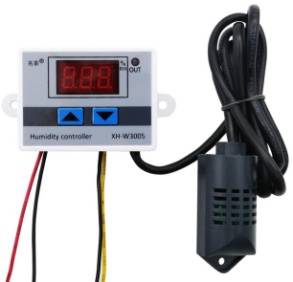
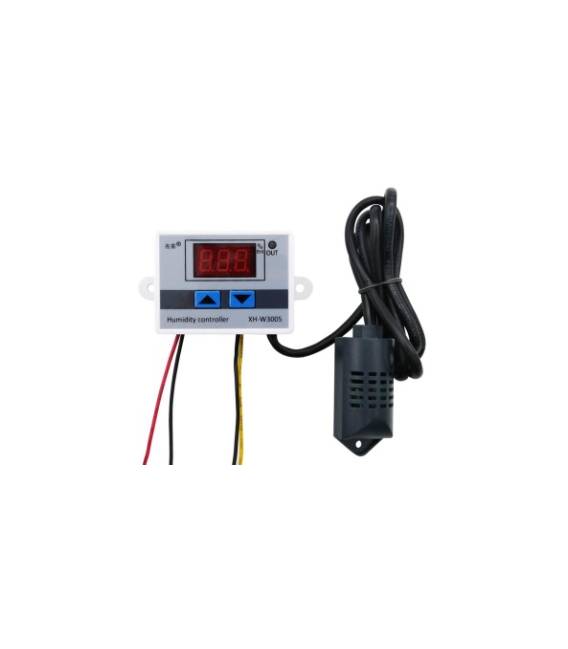
Description
What it is
The XH-W3005 is a humidity regulator with a digital display. It allows monitoring and controlling the air humidity, both for dehumidifying and humidifying the space.
Features
- Digital display
- Humidity control
- Dehumidification function
- Humidification function
What it is for
Ideal for maintaining a comfortable atmosphere at home or in the office. Useful for those involved in hobbies such as horticulture or the preservation of musical instruments. Can be used to create an automatic humidity control system for a small terrarium of rare plants.
Tutorial: How to use XH-W3005 Digital Display Humidity Regulator
The XH-W3005 humidity regulator is a useful device for monitoring and controlling ambient humidity, ideal for anyone who wants to maintain a comfortable atmosphere at home or in the office. It is particularly useful for those involved in hobbies such as horticulture or the preservation of musical instruments.
What you need
- Arduino Uno
- USB cable
- Temperature and humidity sensors
- 5V power supply
- Various connections
Steps
- Connect the XH-W3005 module to the Arduino using the pins specified in the datasheet.
- Configure the Arduino software to read data from the humidity sensor.
- Program the humidity control through a digital switch.
- Install the temperature and humidity sensor and configure it in the Arduino code.
- Verify the correct display of data on the digital display.
- Adjust the desired humidity level through the device interface.
- Test the automatic dehumidification and humidification control function.
- Configure any alarms or notifications for extreme humidity values.
Example code
void setup() {
  Serial.begin(9600);
}

void loop() {
  int umidita = umiditaSensor.readHumidity();
  Serial.print("Umidità: ");
  Serial.println(umidita);
}
Mini project
Create an automatic humidity control system for a small terrarium of rare plants. Configure the XH-W3005 to maintain a constant humidity and add an alarm system to monitor any variations.
Common mistakes
- Do not verify the correct power supply of the module.
- Use an incompatible temperature and humidity sensor.
- Do not configure the digital display correctly.
- Do not test the digital interruption function for automatic control.
Recommended accessories
- Temperature and Humidity Sensors DHT22
- Arduino Uno R3
- USB 5V Power Supply
- 16×2 Digital LCD Display
Frequently asked questions
Which temperature and humidity sensors are compatible?
Check the datasheet of the XH-W3005 module for compatibility.
How can I configure the alarm?
In Arduino code, add conditions to activate the alarm when humidity exceeds or falls below a certain value.
The display does not turn on, what should I do?
Check the electrical connection and proper power supply of the digital display.



Reviews
There are no reviews yet.