 EN
 IT Italiano
 ES Español
 FR Français
 DE Deutsch
Description
What it is
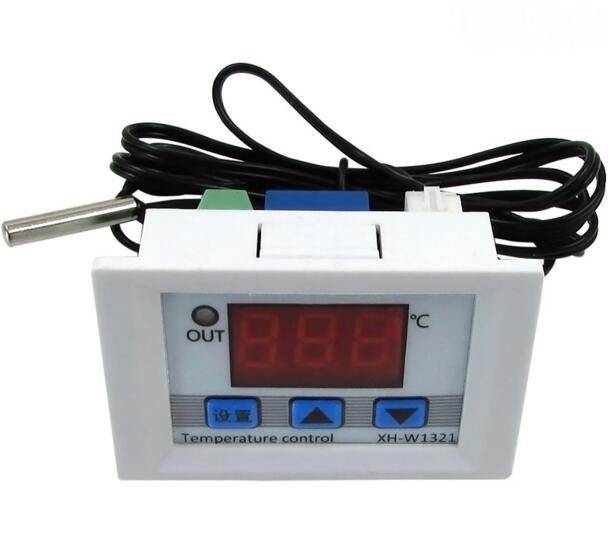
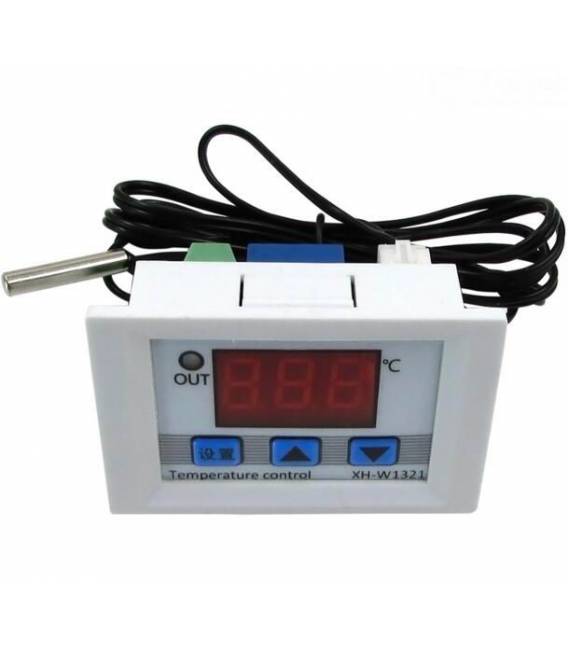
The XH-W1321 is a digital temperature controller with an integrated display, designed for precise temperature control in electronic applications.
Features
- Miniaturized dimensions (0.1)
- Integrated digital display
- SKU: ARD0011321
- Price: 8.62 €
What it is for
The XH-W1321 is ideal for Arduino projects and thermal control applications. It can be used to create thermal alarm systems, regulate the temperature of sensitive circuits, or monitor temperature in domestic or industrial environments. Its compatibility with Arduino makes it a versatile solution for prototyping and development projects.
Tutorial: How to use XH-W1321 Temperature Controller
The XH-W1321 Temperature Controller is ideal for projects requiring precise temperature control. Useful for beginners and intermediates, it is perfect for domestic and industrial environments.
What you need
- XH-W1321 Temperature Controller
- Arduino
- Thermistor resistor
- Power cable
- LCD display
Steps
- 1. Connect the thermistor resistor to pin A0 of Arduino.
- 2. Connect the digital display to pin D2 and D3 (follow the display pinout).
- 3. Connect the VCC of the regulator to 5V of Arduino.
- 4. Connect GND of the regulator to GND of Arduino.
- 5. Load the example code onto your Arduino.
- 6. Check that the display shows the correct temperature.
- 7. Set the desired temperature using the buttons on the display.
- 8. Check the datasheet for further settings.
Example code
```
#include <LiquidCrystal_I2C.h>
LiquidCrystal_I2C lcd(0x27, 16, 2);

void setup() {
  lcd.init();
  lcd.backlight();
}

void loop() {
  float temperature = analogRead(A0) * (5.0 / 1024.0) * 100.0;
  lcd.setCursor(0, 0);
  lcd.print("Temp: ");
  lcd.print(temperature);
  lcd.print(" C");
  delay(1000);
}
```
Mini project
Create a simple thermal alarm system. Connect the regulator to a relay and program the Arduino to turn off an LED if the temperature exceeds a certain value.
Common mistakes
- Do not connect the thermistor resistor correctly.
- Set the desired temperature without following the buttons.
- Do not verify the connection between VCC and GND.
- Forget to update the Arduino code.
Recommended accessories
- Relay
- LED
- Power cable
- 10kΩ resistor
Frequently asked questions
How can I check the temperature?
Check on the built-in digital display.
Does the controller automatically regulate the temperature?
No, it is a temperature controller, not a heating system. Set the desired temperature and manually control the environment.
Can I use this controller to control the temperature of liquids?
Check the datasheet for detailed specifications. Generally, it is designed to control air temperature.



Reviews
There are no reviews yet.