 EN
 IT Italiano
 ES Español
 FR Français
 DE Deutsch
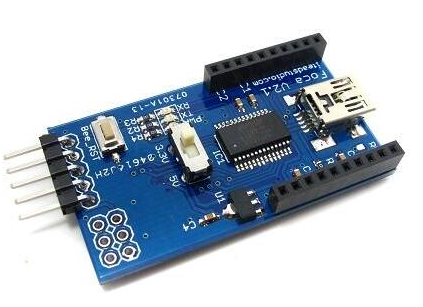
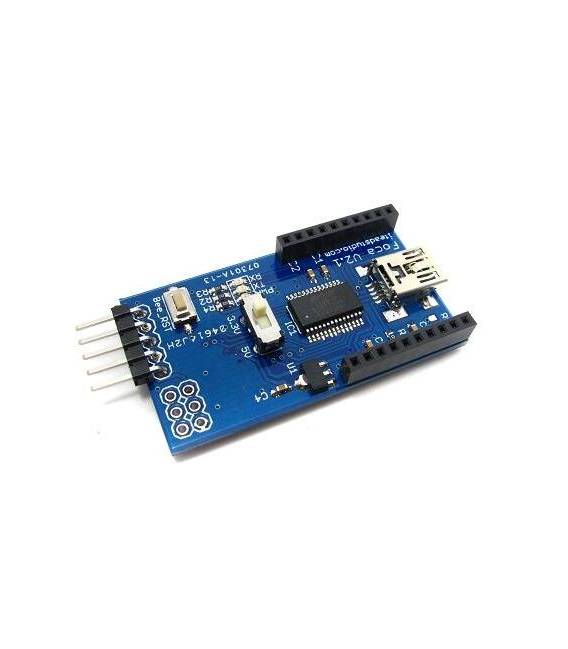
Description
What it is
The Seal is an Xbee Shield module for Arduino, designed to facilitate the connection of wireless devices. This component allows for short and long-range data transmission between compatible devices.
Features
- Xbee Shield module for Arduino
- Ideally suited for wireless data transmission
What it is for
The Seal is used in projects that require wireless communication between devices. It is compatible with Arduino and can be used to build short-range communication systems between two or more Arduinos.
Tutorial: How to use Seal
The Seal is an Xbee module compatible with Arduino, ideal for short and long-range data transmission. Useful for wireless communication projects.
What you need
- Arduino Uno or compatible
- USB cable for power supply
- Xbee antenna
- PC with Arduino IDE
Steps
- 1. Install Arduino IDE on PC.
- 2. Download and install the Xbee library.
- 3. Connect the Foca to Arduino: TX to RX, RX to TX, VCC to 5V, GND to GND.
- 4. Attach the Xbee antenna to the Foca.
- 5. Write a simple sketch to send a message.
- 6. Upload the sketch to Arduino.
- 7. Configure another Foca as a receiver.
- 8. Check the functionality.
Example code
```
#include <SoftwareSerial.h>
SoftwareSerial xbee(2, 3);

void setup() {
  xbee.begin(9600);
}

void loop() {
  xbee.print("Hello, World!");
}
```
Mini project
Build a short-range communication system between two Arduinos with Foca.
Common mistakes
- Connect TX and RX correctly between the two Focas.
- Verify the correct configuration of Xbee settings.
- Make sure the antenna is well connected.
- Check the proper power supply of the components.
Recommended accessories
- Xbee Antenna
- Connection Cable
- Arduino Uno or compatible
Frequently asked questions
How to configure the Xbee antenna?
Check the datasheet.
Why doesn’t the communication work?
Check the connections, Xbee configuration, and proper power supply.
Can you use a different power supply than 5V?
Check the datasheet.
Can I use another library?
Yes, but it may not work correctly. Check the datasheet.
Reviews
There are no reviews yet.