 EN
 IT Italiano
 ES Español
 FR Français
 DE Deutsch
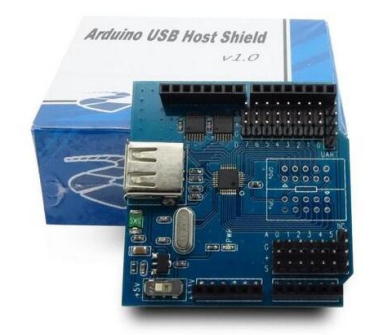
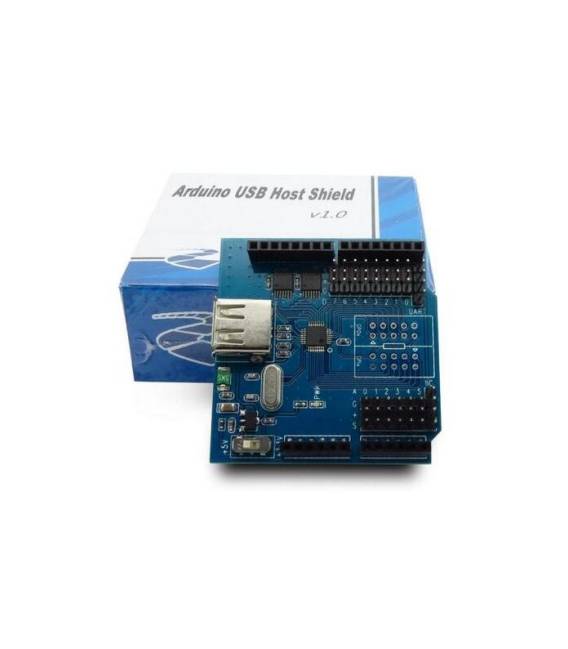
Description
What it is
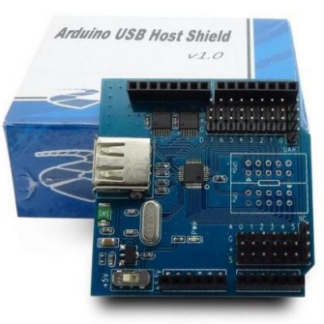
The Ethernet host shield is a module that allows an Arduino board to connect to the Internet via a physical Ethernet network. This add-on enables the implementation of communication and remote control features in projects.
Features
- Allows connection to an Ethernet network for the Arduino device
- Ideally suited for beginners who want to create online projects such as remote monitoring or device control
What it is for
The host shield is used to connect your Arduino to the Internet, allowing you to implement features such as creating a web server that displays data read from sensors. Check the datasheet for detailed information on compatibility with specific Arduino boards.
Tutorial: How to use ETHERNET SHIELD
The Ethernet Shield allows you to connect your Arduino to the Internet using an Ethernet connection. Ideal for beginners who want to create online projects such as remote monitoring or controlling devices.
What you need
- Arduino Uno
- USB A-MicroB cable
- Connect to a router
Steps
- Connect the Ethernet Shield to the Arduino following the documentation.
- Install the Ethernet library through Arduino IDE.
- Check the datasheet for the control pins of the module.
- Configure the IP and MAC address in the code.
- Upload the sketch to the Arduino.
- Check the functionality with software like Fritzing or Serial Monitor.
Example code
/*
#include <Ethernet.h>

byte mac[] = { 0xDE, 0xAD, 0xBE, 0xEF, 0xFE, 0xED };
IPAddress ip(192, 168, 1, 177);

void setup() {
  Ethernet.begin(mac, ip);
}

void loop() {}
*/
Mini project
Create a web server that displays the ambient temperature read from a DHT11 sensor.
Common mistakes
- Unable to connect to the Internet.
- The module does not respond during debugging.
- Incorrect or conflicting IP address with other devices on the network.
- Insufficient power supply issues for the Ethernet module.
Recommended accessories
- DHT11 sensor
- 16×2 LCD
- Relay Module
- LiPo Battery
Frequently asked questions
How can I solve connection issues?
Check the IP and MAC configuration, make sure the Ethernet cable is properly connected.
Can it be used with Arduino Mega?
Yes, but it may require an adapter or shifting of connectors to avoid interfering with the Arduino Mega’s serial ports.
Reviews
There are no reviews yet.