 EN
 IT Italiano
 ES Español
 FR Français
 DE Deutsch
Description
What it is
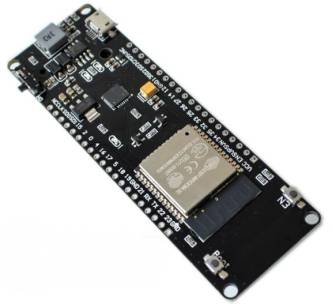
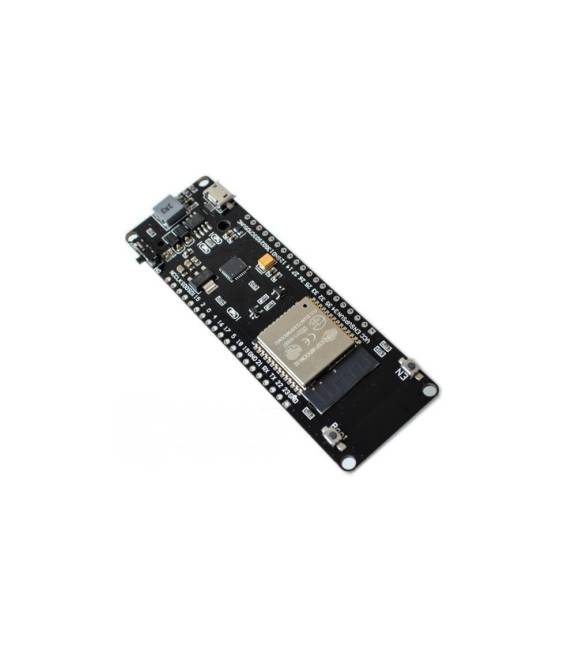
The Wemos ESP32 Wifi + Bluetooth development board is a microcontroller module with integrated WiFi and Bluetooth connectivity. It is a versatile solution for IoT projects, advanced prototypes, and applications requiring wireless communication.
Features
- ESP32 Microcontroller
- WiFi Connectivity
- Bluetooth Connectivity
What it is for
The Wemos ESP32 board is ideal for IoT projects such as temperature, humidity, pressure sensors, smart home devices, and remote monitoring systems. It can also be used for robot prototypes, 3d printers, and remote control applications. The board is compatible with the Arduino development environment, simplifying programming and integration with other electronic components.
Tutorial: How to Use the Wemos ESP32 Development Board
The Wemos ESP32 development board is a powerful microcontroller module with WiFi and Bluetooth connectivity. Ideal for IoT, 3D printing, and robotics projects, it is perfect for both beginners and experts.
What you need
- Arduino IDE
- Computer with Windows, MacOS, or Linux operating system
- USB A to micro USB cable
- 5V power supply
Steps
- Install the Arduino development environment and USB driver for the ESP32.
- Open Arduino IDE and select ‘ESP32 Dev Module’ as the board.
- Connect the ESP32 to the computer via USB cable.
- Check that the board is recognized by the computer (message ‘ESP32 detected’).
- Load a sample sketch from the Arduino IDE menu.
- Verify that the code runs correctly.
- Modify the code to customize the features.
- Save and re-upload the code to test the changes.
Example code
void setup() {
  Serial.begin(115200);
}

void loop() {
  Serial.println("Hello, ESP32!");
}
Mini project
Create a temperature sensor with the ESP32 and a DHT11 temperature sensor. Display the data on the serial console.
Common mistakes
- I can’t upload the code to the ESP32.
- The sensor is not sending data.
- The IDE does not recognize the ESP32.
- The code is not working as expected.
Recommended accessories
- DHT11 Temperature Sensor
- 0.96″ OLED Display
- 5V Relay
- 3.7V LiPo Battery
Frequently asked questions
How can I upload the firmware to ESP32?
Use the ‘Upload’ function in Arduino IDE after selecting the correct board.
Which libraries do I need to install?
Install the ‘ESP32WiFi’ and ‘ESP32HTTPClient’ libraries for WiFi and HTTP connectivity.
How can I access data over the network?
Use the ‘WiFi.begin()’ function to connect to a WiFi network and ‘HTTPClient.begin()’ to send HTTP requests.



Reviews
There are no reviews yet.