 EN
 IT Italiano
 ES Español
 FR Français
 DE Deutsch
Description
What it is
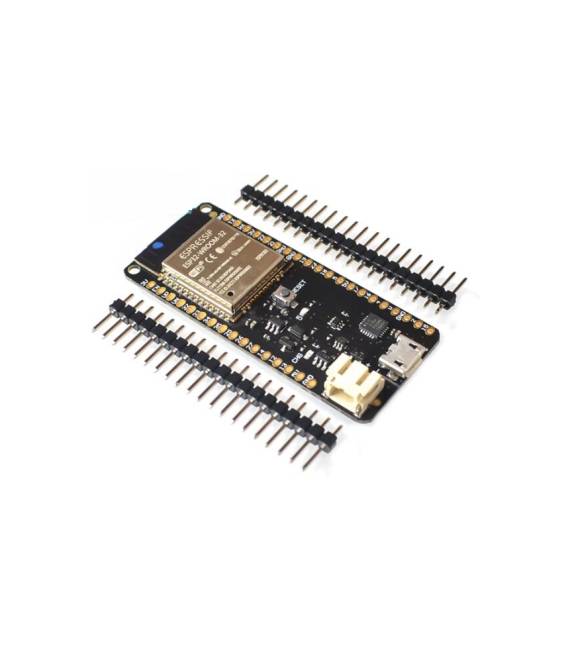
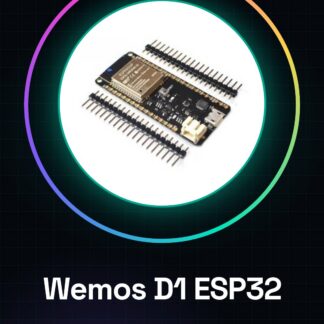
The Wemos D1 V1.0.0-ESP32 development board is a versatile development platform that integrates WiFi and Bluetooth connectivity, providing a wide range of features for IoT projects. This board, available for pre-order, is equipped with an ESP32 microcontroller and a USB communication chip CP2104, facilitating programming and project management.
Features
- ESP32 microcontroller
- WiFi connectivity
- Bluetooth connectivity
- USB communication chip CP2104
- Compatible with Arduino IDE
What it is for
The Wemos D1 V1.0.0-ESP32 board is ideal for developers and makers who want to create IoT projects with network functionality. It can be used to develop home alarm systems, control smart devices, monitor environmental data, and implement any other project that requires WiFi and Bluetooth connectivity.
Tutorial: How to use the Wemos D1 V1.0.0-ESP32 development board
The Wemos D1 V1.0.0-ESP32 board is ideal for projects requiring WiFi and Bluetooth connectivity. It is perfect for beginners and makers who want to venture into the world of the Internet of Things (IoT) without complications.
What you need
- Arduino IDE
- USB A-micro USB cable
- Power supply (5V-3A)
Steps
- Install the Arduino IDE and add the ESP32 library following the instructions on the official website.
- Connect the Wemos D1 board to the computer via a USB cable.
- Open the ‘Tools’ menu in the Arduino IDE and select ‘Board’ > ‘ESP32 WROOM-32 (Wemos D1 R31)’ and the corresponding ‘Serial Port’.
- Upload a test sketch (see code below) to the Wemos D1 board.
- Check that the WiFi and Bluetooth connections work correctly.
- Configure further features such as digital and analog pins following the datasheet.
- Design and implement a simple IoT application, such as an intelligent thermostat.
- Test the project and resolve any issues.
Example code
void setup() {
  Serial.begin(115200);
  WiFi.begin("SSID", "PASSWORD");
  while (WiFi.status() != WL_CONNECTED) {
    delay(500);
    Serial.print(".");
  }
  Serial.println("nConnesso a WiFi");
}

void loop() {}
Mini project
Create a home alarm system that sends WiFi notifications when windows or doors are opened.
Common mistakes
- Do not verify the correct installation of the ESP32 library.
- Set a WiFi password that is too complex.
- Do not configure the serial port correctly.
- Ignore the official product documentation.
Recommended accessories
- PIR motion sensors
- 5V relay
- OLED display
- 3.7V LiPo battery
Frequently asked questions
How can I upload the sketch to Wemos D1?
Select the correct board in the ‘Tools’ menu and connect the board to the computer. Click on ‘Upload’ in the Arduino IDE.
Which libraries are necessary to use WiFi?
The ESP32 library includes all the necessary features to manage WiFi and Bluetooth.
Is it possible to use the board without USB connection?
Yes, the board can be powered by a LiPo battery and operate autonomously.



Reviews
There are no reviews yet.