 EN
 IT Italiano
 ES Español
 FR Français
 DE Deutsch
Description
What it is
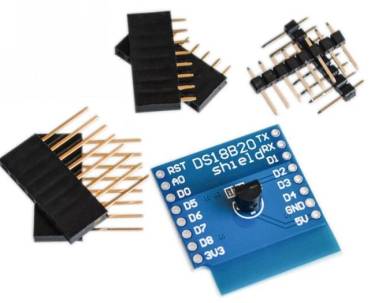
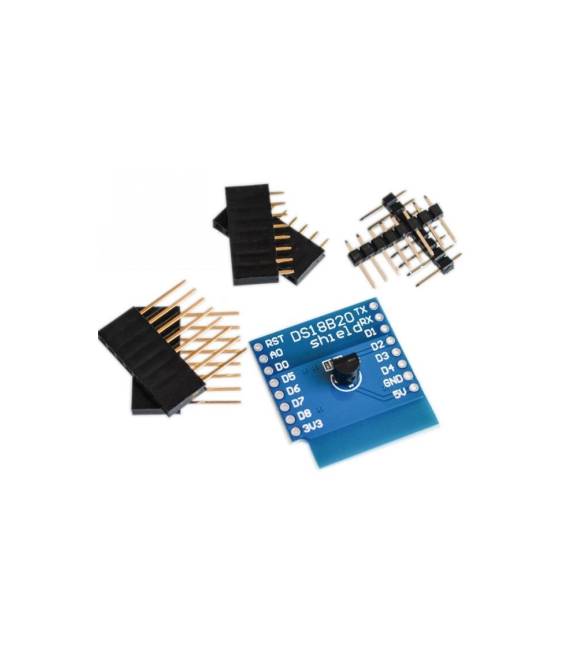
The WeMos DS18B20 temperature sensor module is an electronic component that allows you to measure temperature. It is designed to be used with the D1 mini WIFI board.
Features
- Temperature Sensor: DS18B20
- Compatible with D1 mini WIFI
- SKU: ARD0011512
- Price: 2.93 €
- Availability: Pre-order
What it is for
The WeMos DS18B20 temperature sensor module can be used to measure temperature in various electronic projects. For example, it can be used to create a thermal alarm system that sends an email notification when the temperature exceeds a certain value. It is particularly useful for beginner and intermediate makers who want to integrate temperature measurement into their projects.
Tutorial: How to use the WeMos DS18B20 Temperature Sensor Module
The WeMos DS18B20 temperature sensor module is ideal for monitoring temperature in various electronic projects. It is particularly useful for beginner and intermediate makers who want to integrate temperature measurement into their projects.
What you need
- WeMos D1 Mini WIFI Board
- USB Cable
- 5V Power Supply
Steps
- Connect the DS18B20 module to the WeMos D1 Mini WIFI board: DQ to pin D2, VCC to 5V and GND to ground.
- Install the OneWire and DallasTemperature libraries in the Arduino software.
- Include the necessary libraries in the code.
- Initialize the sensor in the setup of the code.
- Read and print the temperature in the loop of the code.
- Check that the sensor is correctly recognized and that the temperature is displayed.
- If necessary, adjust the connections and the code.
- Try to integrate the sensor into a more complex project.
Example code
```#include <OneWire.h>
#include <DallasTemperature.h>

#define ONE_WIRE_BUS 2

OneWire oneWire(ONE_WIRE_BUS);
DallasTemperature sensors(&oneWire);

void setup(void) {
  Serial.begin(9600);
  sensors.begin();
}

void loop(void) {
  sensors.requestTemperatures();
  float tempC = sensors.getTempCByIndex(0);
  Serial.print("Temperatura: ");
  Serial.print(tempC);
  Serial.println(" °C");
  delay(1000);
}```
Mini project
Create a thermal alarm system that sends an email notification when the temperature exceeds a certain value.
Common mistakes
- The sensor is not recognized: check the connections and power supply.
- The temperature is not displayed correctly: check the code and the library.
- The sensor is too far away: reduce the distance between the sensor and the board.
- The sensor does not respond: check the thermistor resistance and operating temperature on the datasheet.
Recommended accessories
- WeMos D1 Mini WIFI Board
- LCD Display
- Buzzer
- Ethernet Network Module
Frequently asked questions
What is the precision of the DS18B20 sensor?
The precision is ±0.5°C in normal environment.
Can I connect multiple DS18B20 sensors to the same board?
Yes, you can connect up to 100 sensors on a single data line.
What is the measurement range of the sensor?
The measurement range goes from -55°C to +125°C.



Reviews
There are no reviews yet.