 EN
 IT Italiano
 ES Español
 FR Français
 DE Deutsch
Description
What it is
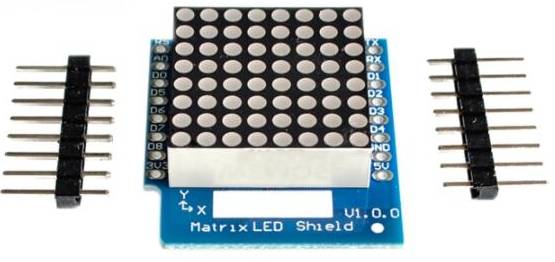
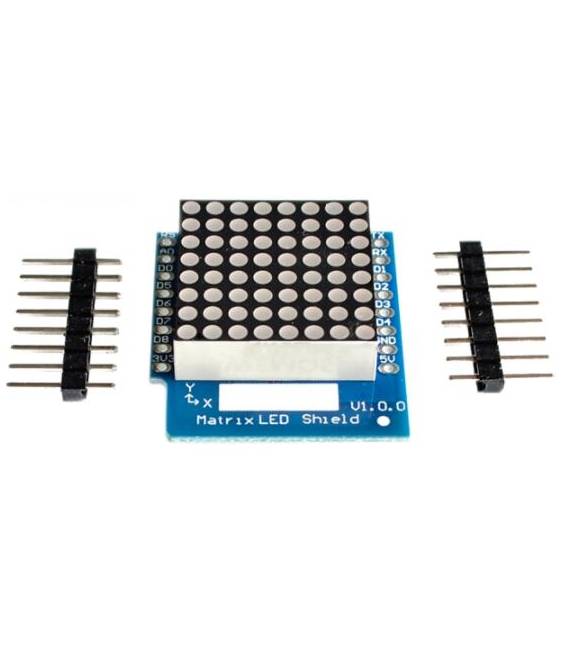
The Matrix LED Shield V1.0.0 for WEMOS D1 mini is an interface shield for managing an 8×8 LED matrix. It allows controlling each individual LED in the matrix to create custom displays.
Features
- Interface for 8×8 LED matrix
- Compatible with WEMOS D1 mini
- SKU: ARD0011511
- Price: 4.88 €
What it is for
This shield is ideal for projects requiring a matrix display of light points. You can create displays for warning signals, simple messages, or animations. Compatibility with the WEMOS D1 mini makes it suitable for Arduino or ESP8266-based projects.
Tutorial: How to use the Matrix LED Shield V1.0.0
The Matrix LED Shield V1.0.0 for WEMOS D1 mini is ideal for projects requiring a matrix display of light points. Useful for beginners and intermediates, it allows creating custom displays.
What you need
- Arduino IDE
- WEMOS D1 mini
- USB cable
- 8×8 Matrix Dot Matrix LED Shield
Steps
- 1. Download and install the Arduino IDE.
- 2. Connect the WEMOS D1 mini to the computer via USB cable.
- 3. Install the Adafruit_GFX and Adafruit_LEDMatrix libraries.
- 4. Connect the Matrix LED Shield to the WEMOS D1 mini following the pin map.
- 5. Download the following code in the Arduino IDE and upload to the WEMOS D1 mini.
- 6. Check that the LED matrix lights up and displays the text.
- 7. Try changing the text to another line.
- 8. Check the datasheet for further settings.
Example code
```cpp
#include <Adafruit_GFX.h>
#include <Adafruit_LEDMatrix.h>

#define LEDPIN 5
#define BRIGHTNESS 80

Adafruit_LEDMatrix matrix = Adafruit_LEDMatrix(1, 1, LEDPIN, false, BRIGHTNESS);

void setup() {
  matrix.begin();
  matrix.clear();
}

void loop() {
  matrix.drawChar(0, 0, 'H', 1, 1, 1, 1);
  matrix.drawChar(1, 0, 'e', 1, 1, 1, 1);
  matrix.drawChar(2, 0, 'l', 1, 1, 1, 1);
  matrix.drawChar(3, 0, 'l', 1, 1, 1, 1);
  matrix.drawChar(4, 0, 'o', 1, 1, 1, 1);
  matrix.show();
}
```
Mini project
Create a simple warning signal with the LED matrix, for example ‘WARNING’.
Common mistakes
- Forgetting to install the necessary libraries.
- Incorrectly connecting the Matrix LED Shield pins.
- Setting the brightness too high or too low.
- Forgetting to run `matrix.show()` to display changes.
Recommended accessories
- Proximity Sensor
- LiPo Battery 3.7V 1000mAh
- USB A to Micro B Cable
- Protoboard
Frequently asked questions
How can I change the displayed text?
Modify the code and replace the text between the curly braces.
Does the LED matrix light up immediately?
Wait for the code to be uploaded and for `matrix.show()` to be executed.
What are the pins of the WEMOS D1 mini?
Check the datasheet for detailed pin information.



Reviews
There are no reviews yet.