 EN
 IT Italiano
 ES Español
 FR Français
 DE Deutsch

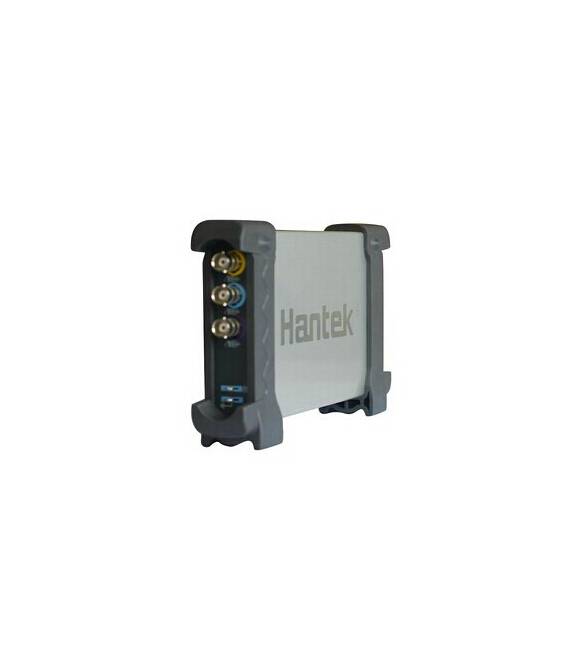
Description
What it is
The Hantek 6022BE 2CH USB Digital Oscilloscope is an electronic measurement tool that allows for the visualization and analysis of electrical signals in real-time. Connected to the computer via USB, it provides a graphical interface for data visualization.
Features
- 2 measurement channels
- 20 MHz bandwidth
- Sampling rate 48 M samples per second
- Vertical resolution 1 M
What it is for
The Hantek 6022BE Oscilloscope is ideal for makers and developers working with electronic circuits. It allows for testing and debugging circuits, analyzing signals, measuring frequencies and voltages. It is compatible with Arduino and other open-source platform-based microcontrollers.
Tutorial: How to use the 2CH USB Digital Oscilloscope Hantek 6022BE
The Hantek 6022BE USB Digital Oscilloscope 2CH is a fundamental tool for verifying and diagnosing electronic signals. It is useful for both beginners and those with some experience in electronics.
What you need
- PC or Mac
- USB cable
- Signal source to be tested
Steps
- 1. Connect the oscilloscope to your PC or Mac using the USB cable.
- 2. Start the oscilloscope software. You can find installation instructions on the manufacturer’s website.
- 3. Configure the bandwidth and sampling frequency. Check the datasheet.
- 4. Connect the signal source to the desired channel (2 channels available).
- 5. Move the probe tip to the desired measurement point.
- 6. Adjust the vertical scale to properly display the signal.
- 7. Adjust the horizontal scale to control the duration of the signal.
- 8. Use the trigger function to establish the reference point of the signal.
Mini project
Create a simple oscillator circuit with a transistor and measure the oscillation frequency using the oscilloscope.
Common mistakes
- Do not configure the bandwidth and sampling frequency correctly.
- Connect the probe without adjusting the vertical scale.
- Do not use the trigger to measure high-frequency signals.
- Forget to connect the signal source correctly.
Recommended accessories
- Probes for oscilloscope
- Signal sources
- Resistors and capacitors
- Arduino microcontrollers
Frequently asked questions
How can I connect the oscilloscope to a signal source?
Connect the probe tip to the measurement point on the signal source.
What are the differences between bandwidth and sampling frequency?
The bandwidth indicates the maximum frequency that the oscilloscope can measure, while the sampling frequency indicates how many measurements it performs per second.
Can I use the oscilloscope without connecting it to a PC?
No, the Hantek 6022BE oscilloscope must be connected to a PC or Mac to function.



Reviews
There are no reviews yet.