 EN
 IT Italiano
 ES Español
 FR Français
 DE Deutsch
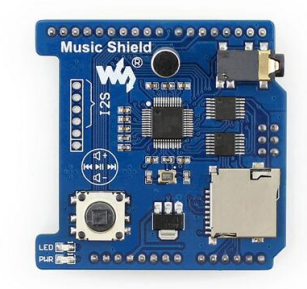
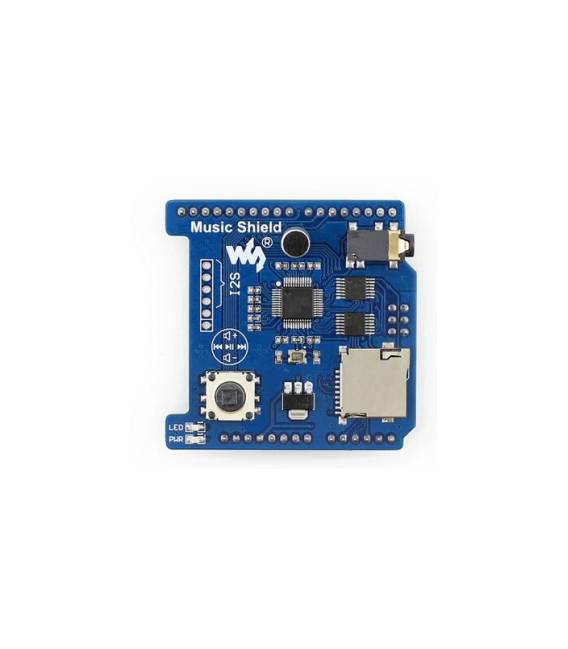
Description
What it is
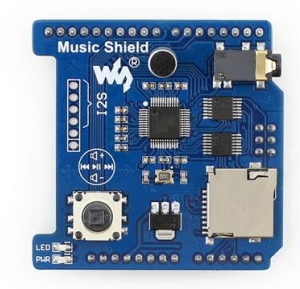
The VS1053B Audio Shield is an Arduino module that allows audio playback and recording. It is based on the VS1053B chip.
Features
- MP3 Audio Playback
- Audio Recording
- Compatible with Arduino
- Connection via I2C interface
- MicroSD connection for audio storage
What it is for
The VS1053B Audio Shield is ideal for projects that require audio playback and recording. You can use it to create a simple MP3 audio player that plays a file from the MicroSD card. It is compatible with a wide range of Arduino boards.
Tutorial: How to use VS1053B Audio Shield
The VS1053B Audio Shield for Arduino is ideal for projects that require audio playback and recording. Useful for beginners and intermediates, it allows you to easily integrate audio functionality into your projects.
What you need
- Arduino UNO or compatible
- VS1053B Shield
- MicroSD Card
- Power Supply Cable
- Arduino Shield Segment
Steps
- 1. Mount the VS1053B Shield on the Arduino UNO.
- 2. Insert a compatible MicroSD Card.
- 3. Connect the power cable to the Shield.
- 4. Download the provided Arduino code.
- 5. Connect the Shield to your Arduino.
- 6. Upload the code to your Arduino.
- 7. Try to play an audio file.
- 8. Try to record an audio file.
Example code
```void setup() { VS1053.begin(); VS1053.playFile("test.mp3");}void loop() {}```Mini project
Create a simple audio player that plays an MP3 file from the MicroSD.
Common mistakes
- Make sure the MicroSD Card is formatted in FAT32.
- Check the datasheet to see if your MicroSD supports the required speed.
- Ensure that the power cable is correct and stable.
- Check the datasheet to see if your Arduino is compatible with the required firmware version.
Recommended accessories
- MicroSD Card
- MicroSD Adapter
- Compatible Microphone
- Headphones or Earphones
Frequently asked questions
How can I format the MicroSD Card in FAT32?
Use software like SDFormatter or a tool provided by the MicroSD Card manufacturer.
Can I use any MP3 file?
Yes, but make sure the file is compatible with the audio format supported by the VS1053B.
Does the Shield work with Arduino Nano?
Check the datasheet to see if the Shield is compatible with your Arduino.
Reviews
There are no reviews yet.