 EN
 IT Italiano
 ES Español
 FR Français
 DE Deutsch
Description
What it is
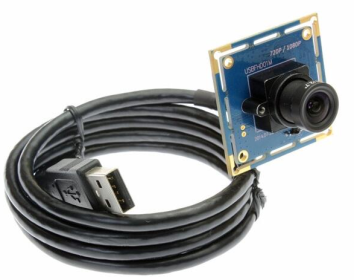
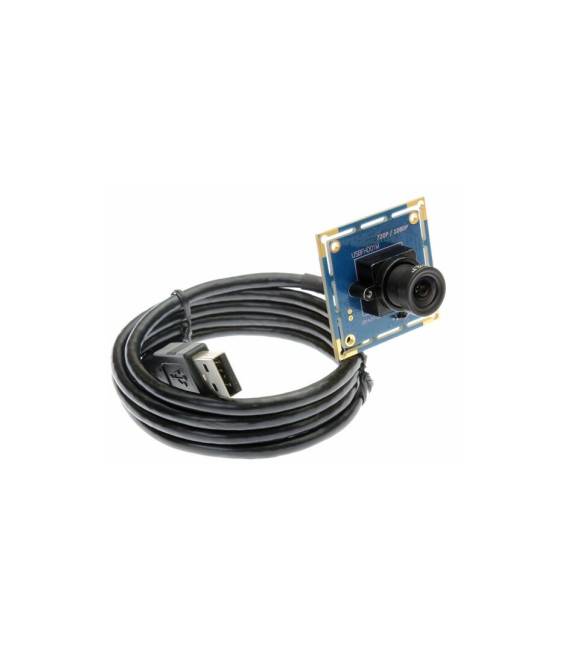
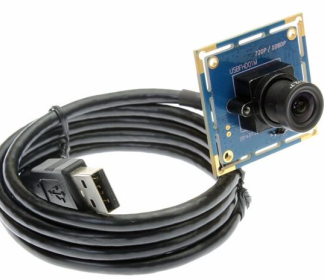
The USB Full HD 1080P Wide Angle 2.1mm Camera Module is a video module connectable via USB, ideal for Arduino projects and remote monitoring applications. Equipped with an OV2710 MJPEG sensor, it allows for high-definition video recording and the creation of DIY cameras.
Features
- Video Resolution: Full HD 1080P
- Field of View: Wide Angle 2.1mm
- Sensor: OV2710 MJPEG
- Connection: USB
What it is for
This USB camera is suitable for monitoring, video logging, and DIY camera projects. It can be integrated into drones, robots, or security systems. Compatibility with Arduino and ESP32 allows its use in microcontroller-based projects.
Tutorial: How to Use USB Full HD 1080P Wide Angle 2.1mm Camera
This USB camera offers Full HD 1080P images and a wide field of view, ideal for monitoring and video logging projects.
What you need
- Computer with USB 2.0
- USB 2.0 Cable
- Visualization software (e.g., Cheese, OBS)
Steps
- 1. Connect the camera to the computer using the USB 2.0 cable.
- 2. Turn on the camera.
- 3. Open the visualization software (e.g., Cheese or OBS).
- 4. Select the camera as the video device.
- 5. Configure the resolution settings (1080P) in the software.
- 6. Try taking a photo or recording a video to check functionality.
- 7. To use it with Arduino, check the datasheet for specifications and connect it to the USB shield.
- 8. Run a sample sketch to control the camera (check the datasheet for usable pins).
Mini project
Mount the camera on a drone and create a 30-second flight video.
Common mistakes
- Do not use a USB 3.0 or USB-C cable, they are not compatible.
- Setting the resolution incorrectly can cause display issues.
- Forgetting to properly connect the camera to the computer.
- Do not use unsupported software that may damage the camera.
Recommended accessories
- Shield USB for Arduino
- Drone
- Tripod
- USB 3.0 Cable (for compatibility testing)
Frequently asked questions
How can I control the camera with Arduino?
Check the datasheet for specifications and connect the camera to the USB shield.
Does the camera work with USB 3.0?
No, it only uses USB 2.0.
Can I use this product for video conferencing?
Yes, but check compatibility with video conferencing software.
What software does the camera support?
Supports software like Cheese and OBS.

Reviews
There are no reviews yet.