 EN
 IT Italiano
 ES Español
 FR Français
 DE Deutsch
Description
What it is
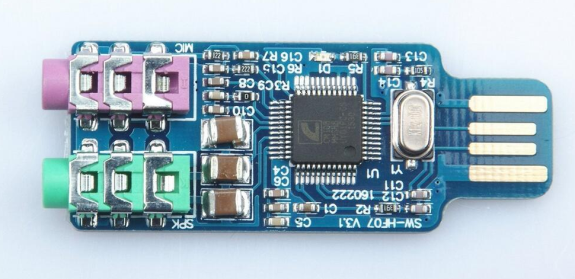
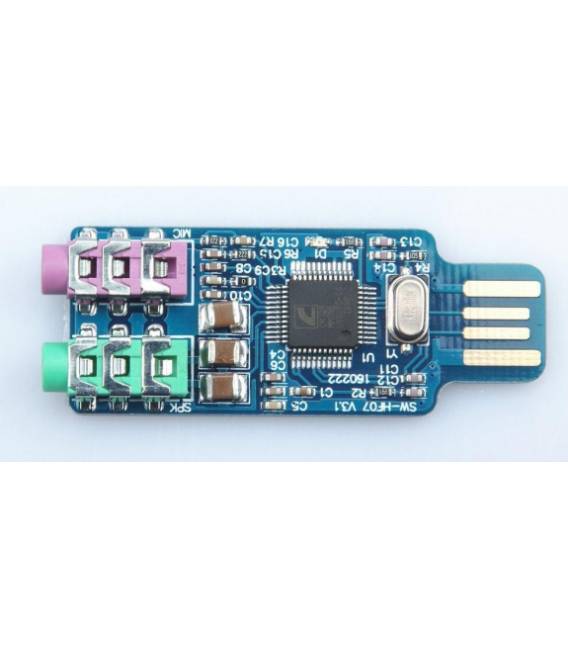
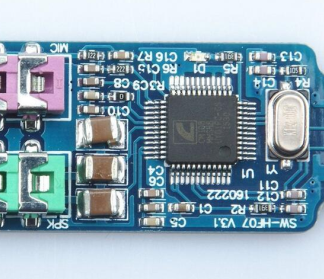
The SW-HF170 USB Audio Board is an external audio module designed for laptops and computers that use the CM108 chip. This device allows you to amplify sound and record it with professional quality.
Features
- USB Audio Board SW-HF170
- Integrated CM108 chip
- Ideally suited for laptops and computers
What it is for
The SW-HF170 is ideal for musicians and audio creators looking to improve the quality of their recordings. It is useful for both personal and professional projects, providing high acoustic fidelity to your devices.
Tutorial: How to use SW-HF170
The USB Audio Board SW-HF170 is perfect for adding acoustic height to your projects. Useful for beginner and intermediate makers.
What you need
- SW-HF170
- USB cable
- Arduino or computer
- Speakers or headphones
Steps
- 1. Connect the SW-HF170 to your Arduino or computer via the USB cable.
- 2. Power on the board.
- 3. Check that the LED on the front is lit.
- 4. Configure your Arduino development software to use the audio pins.
- 5. Load a sample code to test the audio.
- 6. Connect your speakers or headphones to the audio jack.
- 7. Try to play an audio file.
- 8. Check the datasheet for further settings.
Example code
void loop() {
  tone(9, 440, 1000);
  delay(1000);
  tone(9, 880, 1000);
}
Mini project
Create a simple digital speaker with Arduino and SW-HF170 in 30 minutes.
Common mistakes
- Do not connect the board incorrectly.
- Forget to check the LED.
- Set up the audio pins correctly.
- Do not use the appropriate USB cable.
Recommended accessories
- Arduino Uno
- Speakers
- Headphones
- USB cable
Frequently asked questions
How to connect the SW-HF170?
Connect it to your Arduino or computer via the USB cable.
Which pins to use?
Check the datasheet for the audio pins.
The LED isn’t lighting up?
Check for correct power supply and connection.
Which audio files does it support?
Check the datasheet for supported formats.
Reviews
There are no reviews yet.