 EN
 IT Italiano
 ES Español
 FR Français
 DE Deutsch
Description
What it is
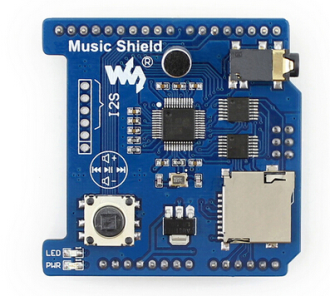
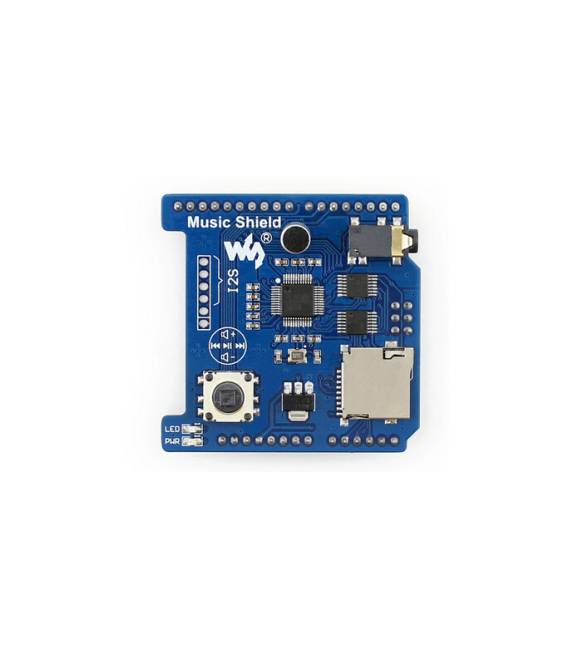
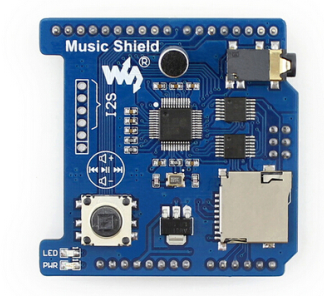
The Music Shield Arduino is an expansion board designed for audio playback and recording. Integrated with the VS1053B module, it allows Arduino projects to handle audio files in a simple and efficient manner.
Features
- Compatible with Arduino UNO, Leonardo and NUCLEO
- Expansion board for audio playback and recording
- Includes the VS1053B module
What it is for
The Music Shield is ideal for projects requiring interaction with audio files, such as small interactive radios or interactive sound systems. It can be used by beginners and experts to create audio playback and recording applications.
Tutorial: How to use Music Shield Arduino VS1053B
The Music Shield VS1053B expansion board is ideal for playing back and recording audio on Arduino projects. It is perfect for beginners who want to create interactive sound systems.
What you need
- Arduino UNO or compatible
- Music Shield VS1053B
- USB A-Micro B cable
- Arduino IDE software installed
Steps
- Connect the Music Shield to your Arduino using the SPI connection.
- Install the Adafruit_VS1053 library to control the VS1053B module. You can find installation instructions in the library’s GitHub repository.
- Upload the example sketch provided with the library to your Arduino.
- Check that audio is playing correctly through the Music Shield.
- Modify the code to control audio recording and playback functions as desired.
- If necessary, add external connectors for 3.5mm jacks for input and output audio.
- Check the Music Shield datasheet for any specific hardware configurations.
- Explore advanced features such as audio processing and serial interface control.
Example code
// Includere la libreria
#include <Adafruit_VS1053.h>
// Configurare i pin del Music Shield
#define VS1053_RESET 9
#define CS_PIN 8
// Inizializzare il modulo VS1053B
Adafruit_VS1053 vs = Adafruit_VS1053(CS_PIN, VS1053_RESET);
void setup() {
  Serial.begin(9600);
}
void loop() {
  // Riproduci un file MP3 dal Music Shield
}
Mini project
Create a small interactive radio that plays audio tracks based on serial commands. You can add sensors to control the volume or song selection.
Common mistakes
- Make sure to install the Adafruit_VS1053 library correctly.
- Check that the SPI connections are correct between Arduino and Music Shield.
- Check the datasheet for the VS1053B module specifications.
- Try loading an example sketch before writing your custom code.
Recommended accessories
- Dynamic microphone
- 3.5mm jack
- SD memory
- Audio amplifier
Frequently asked questions
Where can I find the Adafruit_VS1053 library?
You can find it on the Adafruit GitHub repository.
Can it play MP3 files directly from SD memory?
Yes, but make sure the VS1053B module is correctly configured to access the SD memory.
Reviews
There are no reviews yet.