 EN
 IT Italiano
 ES Español
 FR Français
 DE Deutsch
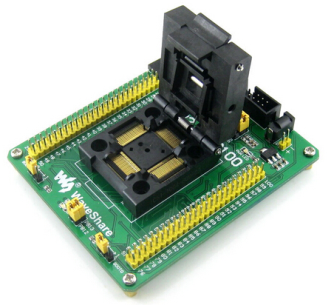
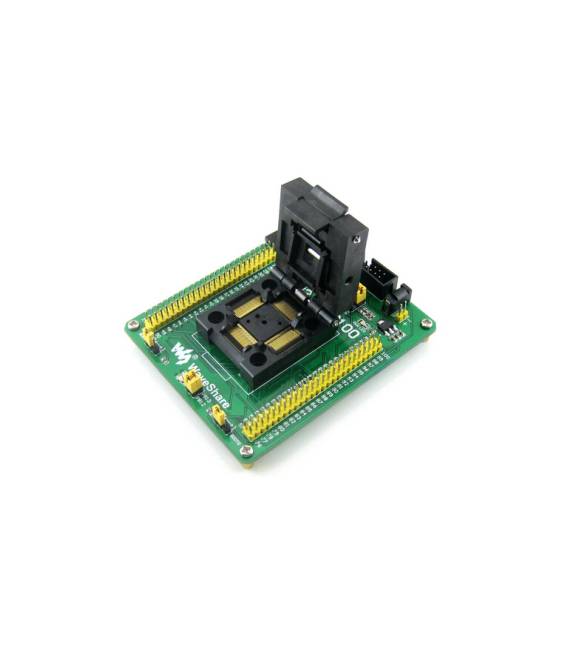
Description
What it is
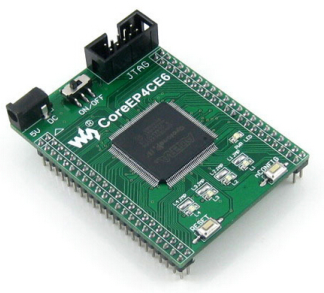
The STM32-QFP64 is a microcontroller programmer for STM32 microcontrollers with SWT and JTAG connectors, used for programming and testing ICs in QFP64 format. This tool is ideal for both expert developers and beginners in the field of electronics.
Features
- Supports SWT and JTAG
- Compatible with STM32 F1, F2, F4, and L series microcontrollers in QFP64 format
What it is for
Ideal for programming projects that require a high level of customization and control. Can be used with the Arduino IDE to create simple button counters or other STM32-based devices.
Tutorial: How to use STM32-QFP64
The STM32-QFP64 is a versatile microcontroller for advanced electronics projects. Useful for beginner and intermediate makers.
What you need
- PC with programming software
- JTAG/SWIM cable
- JTAG programmer
- Arduino IDE or STM32CubeIDE software
Steps
- Download and install Arduino IDE or STM32CubeIDE.
- Connect the JTAG/SWIM cable between PC and STM32-QFP64.
- Configure the JTAG programmer settings.
- Choose a code example in Arduino IDE or STM32CubeIDE.
- Load the code onto the STM32-QFP64.
- Verify the correct programming.
- Test the microcontroller with a simple sketch.
- Configure the I/O interface for your project.
Example code
Serial.begin(9600); Serial.println("STM32 QFP64 pronto!");Mini project
Create a simple push button counter with Arduino IDE.
Common mistakes
- Forget to install the JTAG driver.
- Connect the JTAG/SWIM cable backwards.
- Swap the JTAG programmer for another type of connector.
- Omit the software programming configuration.
Recommended accessories
- JTAG/SWIM cable
- JTAG programmer
- Arduino IDE or STM32CubeIDE
- Push button
Frequently asked questions
How to connect to the microcontroller?
Connect the JTAG/SWIM cable to the microcontroller and your PC.
Which drivers to install?
Install JTAG drivers specific to your PC.
What is the difference between Arduino IDE and STM32CubeIDE?
Arduino IDE is simpler, STM32CubeIDE offers more advanced features.
Does the microcontroller work with batteries?
Check the datasheet to see if the microcontroller supports battery power.
Reviews
There are no reviews yet.