 EN
 IT Italiano
 ES Español
 FR Français
 DE Deutsch
Description
What it is
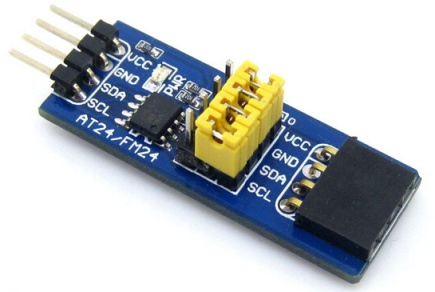
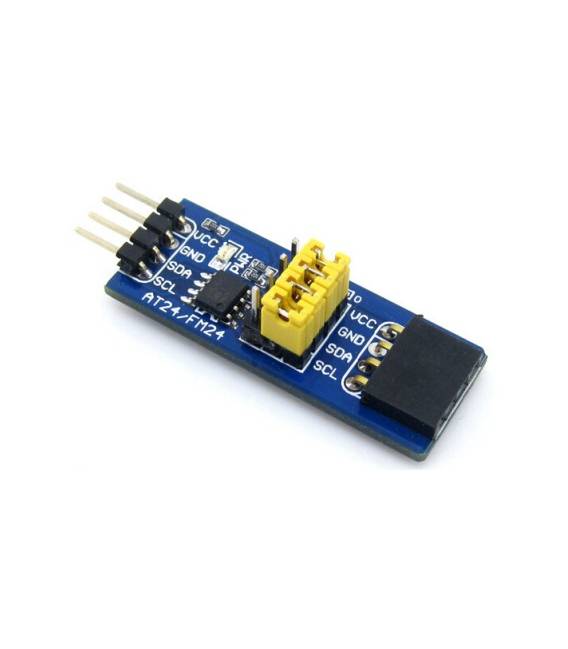
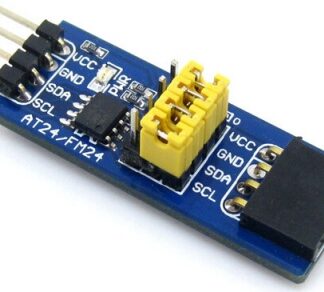
The FRAM Board FM24C04B is a development board for Arduino that includes an FM24C04B FRAM (Ferroelectric Random Access Memory) module. This kit offers advanced features such as high reliability and fast data access.
Features
- Arduino development board with FM24C04B FRAM module
- Ideally suited for persistently storing small amounts of data
What it is for
The FRAM Board is used for projects that require non-volatile and reliable data storage. It is particularly useful in applications where data access speed and information integrity are critical.
Tutorial: How to use FRAM Board FM24C04B
The FRAM Board FM24C04B is a non-volatile memory module ideal for storing small amounts of data. Useful for projects that require battery-free persistent storage.
What you need
- Arduino
- USB cable
- Computer with Arduino IDE
Steps
- 1. Download and install the Arduino IDE.
- 2. Connect the FRAM Board to your Arduino using pins D10 and GND.
- 3. Start the Arduino IDE and create a new sketch.
- 4. Copy and paste the following code into your sketch:
- 5. **Code**: `#include
`
void setup() {
Wire.begin();
Serial.begin(9600);
Serial.println(“Initialization of FRAM…” );
}
void loop() {}` - 6. Check the datasheet for pin configuration.
- 7. Upload the code to your Arduino.
- 8. Check serial communication to confirm the connection.
Example code
#include <Wire.h>
void setup() {
  Wire.begin();
  Serial.begin(9600);
  Serial.println("Inizializzazione FRAM..." );
}
void loop() {}
Mini project
Write a number to FRAM and read it.
Common mistakes
- Forgot to initialize the Wire library.
- Incorrect pin connections.
- Missed to upload the code to the Arduino.
- Incorrect baud rate in the Serial.begin() function.
Recommended accessories
- Arduino Uno
- USB cable
- OLED display for visualization
- Temperature sensors
Frequently asked questions
How can I read a value stored in FRAM?
Use the Wire library to send a read request and then read the value using the function `Wire.read()`.
How much information can FRAM store?
The FM24C04B can store 4KB of data.
Which pins of the FRAM Board to use?
Use pin D10 for SDA and GND for GND.
Does FRAM work with a battery?
No, it works without a battery, maintaining the data even when the Arduino is off.
Reviews
There are no reviews yet.